You may want to publish more posts in less time, but fast content can soon sound dull and lose reader trust. AI for blogging works best when it helps you think and work faster without taking over your voice.
AI blogging means using tools such as ChatGPT to support your blog work. You can use them for research, outlines, first drafts, editing, SEO, and turning one post into emails or social posts.
Still, you should not ask AI to write a full post and publish it without checking the work. AI can make up facts, miss key details, and give the same advice found on many other sites.
This guide uses a human-led, AI-assisted workflow: you guide the topic, check every fact, add real examples, and make the final call. AI handles slow tasks, while you add experience, clear views, and sound judgment.
Google does not ban a post just because AI helped create it. It looks for helpful, reliable, people-first content and warns against making many AI pages that add no real value.
So, AI for blogging is neither good nor bad by itself. Its value depends on how well you use it to help real readers.
What Is AI for Blogging?
AI for blogging means using smart tools to help you plan, write, edit, and manage blog posts. These tools learn word patterns and predict what text may come next, so they can write clear text but may also give a wrong answer with great confidence.
AI-Assisted Blogging vs. Fully AI-Generated Blogging
You can use AI in three main ways:
- AI-assisted writing: You choose the topic, sources, views, examples, and final words; AI helps with research, outlines, titles, grammar, or edits.
- AI-generated blog: You give the tool a short brief, and it writes most of the post; you must then check each fact, source, and claim.
- Blog automation: Tools create, format, schedule, and may publish posts with little human work; this saves time but raises the risk of weak or false content.
For example, you can ask AI to group reader questions, draft an outline, or shorten a long sentence. However, it cannot share your real use of a tool, your talk with a customer, or the lesson you learned after a post failed.
Google says AI can help with research and content structure, but mass-made pages with no added value may break its spam rules.
So, use AI for blogging to cut dull, repeat work; never hand over your facts, views, trust, or ownership.
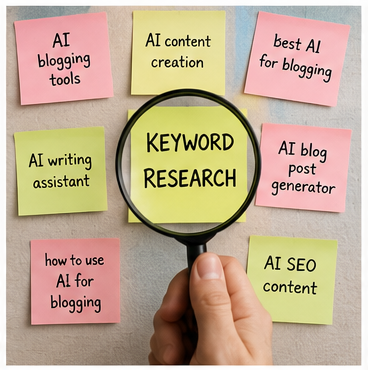
Is AI for Blogging Worth Using in 2026?
Yes, AI for blogging is worth using in 2026 when it fixes a clear problem in your work. It can help you find ideas, shape an outline, edit a draft, and reuse a finished post.
However, AI is a speed tool, not a truth tool. It cannot replace your real skills, tests, views, stories, or final call.
| Potential benefit | Hidden trade-off |
|---|---|
| Faster idea research | Ideas may copy common search results |
| Quicker first drafts | Editing may take more time than planned |
| Clear post structure | Each post may start to sound the same |
| Easy content reuse | Weak ideas may spread to every channel |
| Lower writing costs | Tools and fact checks still cost money |
| More published posts | More pages do not ensure more traffic |
Content Marketing Institute found clear gains among B2B marketers who used generative AI: 51% reduced dull tasks, 45% improved workflows, and 42% improved content optimization. Yet only 4% had high trust in AI output; accuracy remains a key concern.
So, does AI really save bloggers time? Measure the full job: research, writing, source checks, editing, images, links, formatting, and upload.
For example, AI may produce a draft in ten minutes. But a weak draft may need another hour to fix false claims, repeated points, and flat wording.
AI works best when your block is speed or structure. It gives less value when your real block is expert skill, field tests, original data, or sound judgment.
Which AI Blogging Method Fits You?
- Best overall: Let AI assist; you lead the work.
- Cheapest: Use one general AI tool with free SEO tools.
- Fastest: Use a blog template tool; check every claim.
- Safest: Use AI only for ideas, outlines, and editing.
- Beginner-friendly: Research first, then draft one section at a time.
- Expert-level: Build prompts, source lists, tool links, and review gates.
Google also warns against using heavy automation to publish many pages with little new value. It asks creators to produce useful, reliable, people-first work based on real knowledge or experience.
The final answer is simple: AI for blogging is worth it when it removes busy work without removing you. Use it to move faster, but keep facts, experience, trust, and decisions in human hands.
Can AI-Generated Blog Posts Rank on Google?
Yes, AI-generated blog posts can rank on Google when they answer the search query, use correct facts, and give the reader real value. Google judges the quality and purpose of your page; it does not reject a page only because you used AI to write it.
However, adding a quick human edit does not make a weak article helpful. You must improve its facts, examples, advice, structure, and main point before you publish it.
What Actually Creates SEO Risk?
The real risk comes from publishing many weak pages just to gain search traffic. Google calls this scaled content abuse, whether the pages come from AI tools, human writers, or both.
Your content may struggle when it includes:
- Rewritten facts from ranking pages.
- Claims with no trusted source.
- Fake skills or product experience.
- Thin affiliate advice.
- Repeated wording across many posts.
- Keywords that do not match reader intent.
- Large batches of unchecked AI drafts.
For example, you may ask AI to write “the best laptops for bloggers” without testing one laptop. The draft may sound polished, yet it gives the reader no reason to trust your advice.
Can Google Detect AI Content?
This is the wrong question because hiding AI use will not make your page useful. Instead, ask whether your article is accurate, original, clear, and safe to publish under your real name.
Google advises you to create unique, non-commodity content that meets a real reader need. Its May 2026 guidance also confirms that normal SEO practices still apply to AI Overviews and AI Mode.
Do Reddit or Quora Links Build Authority?
Real forum talks can help Google find honest views, questions, and first-hand experiences. Still, placing fake mentions or forced links on Reddit, Quora, blogs, or videos will not create true authority.
Use forums to learn what people fear, need, and ask; then answer those needs with tested advice. In the end, AI-generated blog posts can rank on Google, but only useful content earns lasting trust.
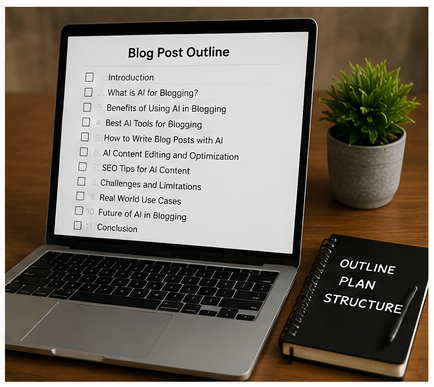
The Best Human-Led AI Blogging Workflow
A human-led AI blogging workflow puts you in the editor’s chair; AI works as your fast research and drafting helper. This matters because 51% of B2B marketers who use generative AI report fewer dull tasks, but speed still needs human care.
Step 1: Start With a Reader Problem, Not a Keyword
First, define who your reader is, what has gone wrong, and what result they need. A keyword shows what they typed; it does not always show the fear, doubt, or choice behind that search.
For example, someone searching “best AI blog writer” may need a low-cost tool, safer facts, or faster drafts. Ask AI to list beginner questions, buying questions, risks, proof needs, and objections; then check those ideas against Google results, forums, reviews, support pages, and customer chats.
Step 2: Collect Sources Before You Build the Outline
Gather your proof before you ask AI to plan the post: start with official guides, original studies, product documents, expert talks, and direct interviews. Use Reddit, Quora, YouTube comments, and user reviews to find real words and common pain points; do not treat one comment as proof for everyone.
Save each source in a simple sheet with its link, writer, date, key claim, and limits. Never ask an AI tool to recall citations from memory because it may create a real-looking study, author, date, or link that does not exist.
Step 3: Build a Content-Gap Outline
Open the top-ranking pages and note what they explain well; then mark what they skip, hide, or explain poorly. Look for missing costs, risks, user types, comparisons, failed methods, real examples, and clear next steps.
Add one useful item that no rival page offers: a tested process, timed task, original prompt, screenshot, mini-survey, expert comment, or failed example. Build headings around choices your reader must make; remove headings that answer the same question with new keywords.
Step 4: Create a Clear Content Brief
Your brief should state the search intent, main keyword, related terms, reader questions, trusted sources, and claims that need proof. It should also list internal links, examples, call to action, banned claims, writing voice, and reading level.
A clear brief gives AI firm limits, so the draft has less room to become vague or dull. This works far better than writing a weak prompt and then saying, “Make it sound more human.”
Step 5: Draft One Section at a Time
Give AI one section goal, the reader’s need, your source notes, and the point you want to prove. Ask for two or three ways to explain it; choose the clearest line of thought, and then write or reshape the final copy yourself.
Do not ask for a full 3,000-word article in one prompt because long outputs often repeat points and lose focus. Make each section earn its place by adding a new fact, view, example, warning, choice, or action.
Step 6: Add Experience AI Cannot Invent
Add facts from real work: what you tried, where you tried it, the settings used, what failed, what changed, and what result followed. Include limits as well; a method that worked for a small Indian food blog may fail on a medical site or a large news site.
Picture a blogger who spends four hours on an outline yet misses key objections. AI can group real questions into cost, workflow, SEO risk, tool choice, and trust; the blogger then gets a fuller outline without adding repeated sections.
Step 7: Verify Every Factual Claim
Use a five-step check: find the original source, confirm its date, read its method, compare the source with your claim, and remove the claim when proof is weak. A link alone proves nothing; the page must support the exact words you publish.
Flag every statistic, quote, price, product feature, legal point, date, case result, and technical tip. Google also warns that using generative AI to create many pages without adding value may break its scaled-content rules.
Step 8: Edit for Voice, Detail, and Natural Rhythm
Cut broad openings, empty links between ideas, neat three-part lists, repeated endings, wild promises, and examples with no names or setting. Replace them with clear nouns, real limits, firm views, short stories, strong verbs, and fair counterpoints.
Do not waste time trying to beat an AI detector or claim that your text is “100% human.” Show real authorship instead: make choices, share doubt, explain trade-offs, and write points you are ready to defend.
Step 9: Finish SEO and AI-Search Checks
Place a short, direct answer below each question heading; then use clear H2 and H3 tags, useful internal links, nearby citations, author details, original images, and plain alt text. Add valid schema only when it matches the page, and change the “updated” date only after a real review.
Google’s May 2026 guidance says normal SEO still supports visibility in AI search, while unique and expert-led content adds value beyond common facts. It also advises publishers to create helpful, reliable, non-commodity content rather than chase special AI-search tricks.
Step 10: Measure Results, Not Publishing Speed
Track total work time, editing time, search terms, useful clicks, email sign-ups, affiliate clicks, leads, sales, return visits, updates, and factual fixes. You may also record AI citations or brand mentions, but only when you can measure them with a clear and steady method.
A post made in 30 minutes is not efficient when you spend three hours fixing errors and weak claims later. The best human-led AI blogging workflow saves time while raising trust, search value, reader action, and long-term results.
What Blogging Tasks Should You Automate?
AI blogging automation works best when you give AI routine work. You should keep control of facts, advice, and real stories.
AI can save time, but it cannot own the result. In a 2025 survey, 51% of B2B marketers said AI reduced dull tasks, while 45% said it made work more efficient.
Use the AI Traffic-Light Rule
Use this table before you add any task to your AI content workflow:
| Blogging task | Automation level | What you must do |
|---|---|---|
| Topic ideas | High | Pick ideas your readers need |
| Keyword grouping | Medium-high | Check search intent and value |
| Outline options | High | Remove gaps and repeated points |
| Research summaries | Medium | Open and read each source |
| First drafts | Medium | Add proof, detail, and your voice |
| Fact-checking | Low | Check every claim by hand |
| Personal stories | None | Share only real events |
| Product reviews | Low | Use and test the product |
| SEO titles and descriptions | High | Check facts and click appeal |
| Internal-link ideas | Medium-high | Confirm that each link helps |
| Content repurposing | High | Fit the new channel and reader |
| Publishing | Medium | Run a final human check |
| Updating old posts | Medium | Confirm what changed and when |
What Can You Automate Safely?
Green tasks: automate formatting, transcripts, idea expansion, and summaries of text you provide. These tasks save time without handing over key choices.
Amber tasks: use AI for outlines, draft sections, SEO metadata, and internal-link ideas. Then check the result for errors, weak advice, and repeated points.
Red tasks: you must lead claims, comparisons, reviews, opinions, and firsthand stories. AI cannot test a product, meet a customer, or learn from your real mistake.
Legal, medical, money, safety, and cyber topics need a trained expert. A smooth AI answer may still be false or unsafe.
Do not let AI manage your whole blog without checks. Google advises publishers to create reliable, people-first content rather than pages made mainly to gain search traffic.
So, automate the hands, not the brain. Good AI blogging automation speeds up small tasks while you protect accuracy, trust, and reader value.
How to Choose an AI Blogging Tool
The best AI tools for bloggers depend on the work you need to finish. Do not pay for a large tool when a simple writing assistant solves your main problem.
Start with one real task: research, outlining, drafting, SEO, editing, or teamwork. Then test each tool with the same blog topic, source list, prompt, and time limit.
Compare Tools Using These Key Checks
Judge each tool on the points below:
- Research quality: Does it find useful facts, or does it give broad answers?
- Source visibility: Can you open and check the original sources?
- Long-form control: Can you guide each section without rewriting the full post?
- Brand voice: Can it learn your words, tone, and writing rules?
- SEO support: Does it help with search intent, headings, terms, and internal links?
- Teamwork: Can writers, editors, and clients share the same work?
- Cost: Are its limits fair for the number of posts you publish?
- Privacy: Can you control how it handles private files and business data?
- Export: Can you move clean text into WordPress, Google Docs, or another CMS?
ChatGPT supports project instructions, while Claude offers project instructions and custom styles. Jasper can build a brand voice from writing samples, and Surfer gives SEO suggestions from competing pages.
Pick the Right Tool Category
| Your main need | Best tool category | Main trade-off |
|---|---|---|
| Lowest cost | General AI assistant | You must handle more SEO work |
| Fast first draft | AI article generator | The draft may sound plain |
| Safer research | Source-linked research tool | You must still check each source |
| Easy setup | Guided blog writer | You get less control |
| Better SEO support | Content optimization tool | Scores may lead to keyword stuffing |
| Team use | Brand-governance platform | The price is often higher |
| Full automation | API and workflow tools | Setup needs skill and testing |
| Personal voice | Trained workspace | Poor samples create poor results |
For most solo bloggers, ChatGPT, Claude, Gemini, or Microsoft Copilot can handle ideas, outlines, and first drafts. Tools such as Jasper, Copy.ai, and Writesonic suit repeat content work, while Surfer, Clearscope, and Frase focus more on SEO guidance.
Here is my firm view: never choose an AI blog writer after reading its own demo page. Give three tools the same 800-word task, then score fact errors, editing time, voice, source quality, and final usefulness.
Best AI Blogging Tools Compared
The best AI blogging tools do different jobs well. You will get better results by building a small tool stack instead of asking one AI assistant to research, write, fact-check, and optimize everything.
| Tool | Best for | Key features | Starting price* | Free option | Main limitation |
|---|---|---|---|---|---|
| ChatGPT | Ideas and drafting | Outlines, writing, editing, custom GPTs, web research | Free; Plus $20/month | Yes | Facts still need checking |
| Claude | Natural long-form writing | Large documents, clear prose, projects, research | Free; Pro $20/month | Yes | Fewer integrations than ChatGPT |
| Gemini | Google users | Deep Research, long context, Gmail and Docs links | Free; AI Pro ₹1,950/month in India | Yes | Tone may need more editing |
| Perplexity | Source-based research | Live search, citations, research modes | Free; paid plans available | Yes | Weaker for polished articles |
| Jasper | Marketing teams | Brand voice, campaigns, collaboration, automation | $69/month monthly | Trial | Expensive for solo bloggers |
| Surfer SEO | Content optimization | SERP guidance, Content Score, AI-search tracking | $49/month yearly | Trial/access offer | Not a full research tool |
| Frase | SEO briefs and workflows | Research, briefs, SEO/GEO scores, publishing | $49/month monthly | 7-day trial | Monthly content limits |
*Verify prices before publishing or buying.
A tool that writes in two minutes but needs one hour of repair is not fast. The best AI tools for bloggers save total work time while keeping your facts, voice, and judgment under your control.

How to Make AI-Assisted Content Sound Natural
To make AI writing sound natural, do not just swap words or shorten lines. Improve the thought behind each line, so your reader gets a clear view, a real example, or useful advice.
Do Not “Humanize” the Words—Improve the Thinking
AI writing often sounds robotic because it plays safe and repeats common ideas. Generic thoughts stay generic, even after you remove phrases like “unlock the power” or “in today’s digital world.”
Take a clear stand, and say what you do not agree with. Then add exceptions: advice that works for a food blogger may fail for a doctor, lawyer, or finance writer.
Replace broad claims with a real event, number, place, or result. Also explain how your advice changes based on budget, skill, niche, time, and risk.
For example, this line says almost nothing:
AI tools can revolutionize your blogging journey by helping you create high-quality content efficiently.
A stronger version gives the reader a result and a fair warning:
AI removed 20 minutes of blank-page work from my outline, but checking its sources took another 15 minutes.
The second line works because it includes a number, a limit, a trade-off, and a human view. You can use the same method: record your real time, edits, errors, and results while writing one post.
Give AI a Clear Brand Voice Guide
Before you ask AI to write, give it:
- Three samples of your published work.
- Words you often use and avoid.
- Your usual sentence length.
- Your level of humor.
- Your reader’s skill level.
- Your formatting choices.
- Views you strongly support.
- Examples of poor output.
Next, edit AI-generated content for facts, rhythm, and meaning. Keep a few short lines, pauses, and uneven sentence lengths because real people do not speak in perfect patterns.
Do not rewrite your work merely to fool an AI detector; detector results can change across tools and types of text. Google also advises publishers to focus on helpful, accurate, people-first content instead of mass-produced pages with little added value.
The best way to make AI writing sound natural is simple: add your judgment, proof, limits, and lived detail. Let AI help with the draft, but make every final sentence earn its place.
Best AI Prompts for Bloggers
The best AI prompts for bloggers give the tool a clear job, reader, goal, and format. They help you work faster, but you must still guide, check, and edit each answer.
A weak prompt says, “Write a blog post about AI.” A strong prompt explains who will read the post, what they need, and what the final answer must include.
Use the six prompts below as one simple workflow. Each prompt completes one clear part of your blog post.
1. Blog Title Prompt
Your title must match what the reader wants to find. It should promise a clear result without making a false claim.
“Create 10 clear blog titles for [keyword]. Match [search intent], show one useful benefit, use fewer than 60 characters, and avoid clickbait.”
For example, enter “AI for blogging” as the keyword and “learn how to use AI safely” as the search intent. The tool may suggest titles about saving time, writing better drafts, or keeping your own voice.
Do not pick the title with the biggest promise. Pick the title that best matches what your post truly delivers.
Use these checks before you choose:
- Does the title include the main topic?
- Does it match the reader’s goal?
- Can the article support its promise?
- Is the title easy to understand?
- Would you click it without feeling tricked?
Place the main keyword near the start when it sounds natural. However, never force the keyword into a title that feels odd.
2. Blog Outline Prompt
A good outline gives each section one clear purpose. It also removes repeated points before you start writing.
“Build an SEO blog outline for [keyword] and [audience]. Add useful H2s, H3s, FAQs, examples, comparisons, risks, and content gaps; remove repeated ideas.”
Give the tool real research with this prompt. Add Google search results, People Also Ask questions, Search Console terms, Reddit doubts, and customer questions.
Do not ask the tool to guess what ranks. Search results change by country, language, time, device, and reader needs.
For an Indian blogging audience, you may add local needs such as low-cost tools, Hindi or regional-language support, slow internet, and mobile use. These details make the outline more useful than a broad global guide.
Check the outline with four questions:
- Does each heading answer a new question?
- Does it help the reader make a choice?
- Does it include risks and limits?
- Does it lead to a clear next step?
Delete any heading that repeats an earlier answer. A shorter outline with clear value is better than a long outline filled with thin sections.
3. SEO Review Prompt
SEO does not mean placing the same keyword in every paragraph. It means helping people and search engines understand your page.
“Review this draft for search intent, natural keyword use, related terms, internal-link ideas, clear headings, and short answers that may fit search snippets. Keep each change useful, natural, and free from keyword stuffing.”
Ask the tool to list its changes instead of rewriting the full post at once. This lets you approve each edit and protect your tone.
Google says you should create helpful, reliable, people-first content instead of content made mainly for rankings. Google also says its normal SEO guidance still applies to AI Overviews and AI Mode.
Google does not require a special writing style for generative search. It also says you do not need to add every long-tail keyword or break your content into tiny parts for AI systems.
Use the SEO prompt to check:
- Search intent.
- Main keyword placement.
- Related words.
- Missing reader questions.
- Internal-link options.
- Short answer blocks.
- Image and alt-text ideas.
- Weak or unclear headings.
Read every suggested keyword in the full sentence. Remove it when it makes the line sound forced.
4. Blog Introduction Prompt
Write your introduction after the main draft. You will then know what the post truly teaches.
“Write a two-paragraph introduction for [title]. Name the reader’s main problem, explain what the reader will learn, and remove broad claims, clichés, long setup, and filler.”
Ask for only two short paragraphs. The first paragraph should name the problem, while the second should show the result.
Avoid openings such as:
- “In today’s digital world.”
- “AI is changing everything.”
- “Blogging has become more important than ever.”
- “Are you ready to unlock the power of AI?”
These lines delay the real answer. Start with the exact problem your reader faces.
For example:
You may spend hours on a blog post and still feel unsure about its title, outline, or SEO. The right AI prompts can speed up these tasks without taking control of your ideas.
This opening tells the reader what hurts and what the section will fix. It does not waste time on a broad history of AI.
5. FAQ Prompt
Your FAQs should answer real doubts that remain after the main post. They should not repeat full sections with slightly different words.
“Create six short FAQs from real reader doubts, choices, objections, risks, and use cases. Answer each question in 40 words or fewer, and do not repeat answers from the main article.”
Give the tool real questions from:
- Google Search Console.
- People Also Ask.
- Search suggestions.
- Blog comments.
- Support emails.
- Reddit threads.
- YouTube comments.
- Sales calls.
- Customer chats.
You may ask questions such as, “Can AI-written posts rank?” or “Should I edit every AI draft?” These questions show strong reader concern and may support clear search answers.
Check every FAQ before you publish it. Remove any question that no real reader appears to ask.
6. Content Refresh Prompt
AI topics change fast, so old tool details can mislead readers. Review these posts every three to six months when features, prices, rules, or search behaviour may have changed.
“Review this post for outdated facts, old dates, broken links, changed tool features, weak examples, missing expert proof, and sections that no longer match search intent. List each issue, show the suggested change, and explain why it matters.”
Do not let the tool update facts from memory. Ask it to flag each claim, and then open the original source yourself.
Google warns that using generative AI to create many pages without adding value may break its policy on scaled content abuse. The problem is not the tool itself; the problem is publishing large amounts of low-value content.
During each refresh, check:
- Publication dates.
- Prices.
- Tool names.
- Product features.
- Statistics.
- Expert quotes.
- External links.
- Screenshots.
- Search intent.
- Calls to action.
Update the date only after you make a real change. Changing the date without reviewing the post may reduce reader trust.
How to Get Better Results From Any Blog Prompt
Give the tool enough context before you ask it to write. A prompt cannot fix missing research, weak ideas, or a lack of reader knowledge.
Add these details when they matter:
| Prompt detail | What you should enter |
|---|---|
| Reader | Beginner blogger, business owner, or SEO writer |
| Goal | Learn, compare, choose, fix, or buy |
| Search intent | Informational, commercial, or transactional |
| Tone | Friendly, direct, practical, or expert |
| Format | Table, steps, checklist, or short answer |
| Evidence | Official sources, tests, interviews, or data |
| Limits | Word count, reading level, claims to avoid |
| Action | What the reader should do next |
One prompt rarely creates a publish-ready section. Use a prompt chain: research, outline, draft, verify, edit, and then approve.
The most useful prompt is often an editing prompt, not a writing prompt. It helps you find gaps while you remain the author.
Final Prompt Rule
Never publish an answer only because it sounds smooth. Check the facts, add your own view, include a real example, and remove anything you cannot support.
Used this way, AI prompts for bloggers become practical editing tools rather than shortcuts. You keep your voice, your judgment, and the final say.
Risks, Drawbacks, and Common Mistakes
AI blogging risks grow when you trust a fast draft without checking it. You can avoid most problems by keeping research, judgment, and final approval in human hands.
Hallucinated Facts and Sources
AI can invent a study, expert, date, quote, or web link that sounds real. It may also mix facts from two sources and present them as one claim.
Use source-first research: collect trusted sources before you ask AI to draft. Open every source and check the author, date, sample size, location, and full context.
Never publish a statistic because the chatbot gave you a source link. When you cannot find the original report, remove the claim.
Generic Content and Loss of Differentiation
AI often repeats ideas already found on top-ranking pages. Similar prompts also create similar headings, examples, and conclusions.
Add what only you can provide: your test, mistake, opinion, screenshot, process, or result. For example, compare three AI tools with the same prompt and record the editing time for each draft.
A strong opinion also helps your post stand apart. My firm rule is simple: a polished summary of other people’s work is still weak content.
Copyright and Plagiarism Concerns
AI writing is not always plagiarism, but generated text may closely match existing work. Search unusual sentences, verify every quote, and rewrite any passage that sounds copied.
Do not ask AI to copy the exact style of a living writer. The U.S. Copyright Office said in January 2025 that copyright protection depends on meaningful human authorship, not prompts alone.
Use your own images or properly licensed files. Keep notes that show your sources, prompts, edits, screenshots, and final changes.
Privacy and Confidential Data
Never paste private business data into a public AI tool without checking its data settings. This includes:
- Customer names and contact details.
- Passwords or login data.
- Private traffic and sales reports.
- Unreleased products or business plans.
- Confidential interviews.
- Staff, health, legal, or payment records.
For personal ChatGPT accounts, submitted content may be used to improve models based on your settings. You can review this under Settings → Data Controls → Improve the model for everyone.
Scaling Before Proving Quality
Publishing 500 weak pages will not fix a poor content plan. Google defines scaled content abuse as creating many low-value pages mainly to influence rankings, no matter whether humans or AI made them.
Start with five to ten AI-assisted posts. Compare them with human-written posts for six months using rankings, clicks, reading time, leads, sales, corrections, and editing hours.
Scale only when the posts stay accurate and bring useful results. One page that earns trust is worth more than 100 pages that nobody reads.
Over-Optimizing for AI Detection Scores
Do not treat an AI detector as a truth machine. Research shows that detector results can change across tools, writing styles, language models, and edited text.
A low AI score does not prove that your post is true, original, or useful. Use detectors only as a weak warning signal, not as your final editing test.
Your best defence against AI blogging risks is clear: verify facts, protect private data, add real experience, and publish slowly. Write for the reader’s trust, not for a detector, a word count, or a quick ranking.
Real-World AI Blogging Use Cases
The best AI blogging use cases treat AI as a workbench, not a ghostwriter. You give it a clear job, check its work, and add the insight that only you can provide.
1. Turn a Broad Keyword Into a Useful Plan
Pain point: You choose a broad topic, but you do not know what readers need. As a result, your article soon becomes a loose list of tips.
Solution: Ask AI to sort the topic by search intent, reader problems, risks, and choices. Then, remove weak ideas and keep the sections that help readers act.
Example: For “AI for blogging,” AI can suggest sections on SEO, writing steps, tools, costs, risks, and quality checks. You can then turn these ideas into one clear content brief.
Outcome: You beat writer’s block without asking AI to write the full post. You also keep control of the facts, voice, and final advice.
2. Update Old Small-Business Blog Posts
Pain point: An old post may contain dead links, old prices, and tool features that no longer exist. Checking every line by hand takes hours.
Solution: Paste the post into your AI tool and ask it to list every claim that may need a fresh check. Put prices, dates, statistics, screenshots, and product details into a simple review table.
Example: A Hyderabad web agency could scan a 2023 WordPress tools guide before updating it in 2026. The owner must still open each official source and confirm every change.
Outcome: You find outdated details faster while keeping human fact-checking in place. This matters because only 4% of surveyed B2B marketers said they highly trust AI output.
3. Build an Honest Affiliate Tool Comparison
Pain point: AI often creates the same “best tools” list found on many sites. Such content gives readers little reason to trust your links.
Solution: Test each tool with the same task, prompt, and scoring sheet. Compare accuracy, draft time, editing time, citations, voice, price, and export options.
Example: Ask three tools to outline one 1,500-word post, and then record each error and edit. Add screenshots and explain which tool suits a beginner, team, or advanced user.
Outcome: Your AI affiliate blogging post becomes real research, not copied sales talk. Google also advises publishers to create helpful, reliable content for people.
4. Repurpose One Approved Article
Pain point: Your team wastes time rewriting the same idea for each channel. Small changes can also create mixed facts and messages.
Solution: Give AI the final approved post, plus rules for length, tone, and platform. Ask it to create a newsletter, LinkedIn post, video script, and short FAQ.
Example: Keep the source facts locked, but change the opening and call to action for each platform. A human editor should check every version before it goes live.
Outcome: You repurpose blog content with AI while keeping one trusted source. These AI blogging use cases save time because AI handles format changes, while you protect meaning and trust.

A 10-Point AI Blog Quality Checklist
Use this AI content quality checklist before you publish any AI-assisted post. It helps you catch weak claims, dull writing, poor links, and hidden trust issues.
- [ ] Answer the main query early: Give the reader a clear answer within the first 100 words.
- [ ] Give each section one job: Remove any heading that repeats an earlier point.
- [ ] Open every cited source: Never trust a link, quote, or source created by an AI tool.
- [ ] Check every fact: Confirm names, dates, prices, studies, statistics, and product features.
- [ ] Add original proof: Include your test, screenshot, result, mistake, method, or personal lesson.
- [ ] Show both sides: Explain the benefits; then state the limits, risks, and trade-offs.
- [ ] Match the advice to the reader: Change your recommendation by budget, skill, time, and risk.
- [ ] Protect your real voice: Read the draft aloud; rewrite any line you would never say.
- [ ] Check every link and action: Each internal link and call to action must help the reader move forward.
- [ ] Stand behind every claim: Ask yourself whether you would defend the post using your real name.
The Simple Publishing Rule
Do not publish until the post passes at least nine of the ten checks. Stop at once when you find a problem with accuracy, attribution, privacy, copyright, or safety.
Treat this AI blog editing checklist as your final human review, not a quick formality. A strong AI content quality checklist protects your reader, your reputation, and your search performance.
Final Verdict: Use AI as a Blogging System, Not a Substitute for a Blogger
AI for blogging works best when it clears small, slow tasks: it can help you find ideas, sort notes, build an outline, and beat the blank page. Yet you must own the search intent, facts, examples, advice, personal voice, and final edit.
Do not judge success by how many posts you make; ten weak posts will not beat one useful post. Instead, track your writing time, fact errors, search traffic, leads, sales, and reader trust.
Google advises creators to make unique, useful, people-first content rather than mass content with no added value. Start your AI-assisted blogging workflow with one post: build a brief, collect trusted sources, and use AI to write one section at a time.
Frequently Asked Questions About AI for Blogging
Can I use AI to write blog posts?
Yes, you can use AI for blogging to find ideas, build outlines, draft sections, edit text, and write meta descriptions. However, you should add your own views, examples, facts, and final edits before you publish.
Does Google penalize AI-generated content?
Google does not punish content just because AI helped create it. However, it may lower pages made mainly to manipulate search rankings or publish large amounts of weak, copied, or unhelpful content.
Can AI-written blog posts rank on Google?
Yes, an AI-written blog post can rank when it answers the search query, uses correct facts, and gives readers real value. Google advises publishers to create original, reliable, people-first content instead of content made only for search engines.
What is the best AI tool for blogging?
There is no single best tool for every blogger. Choose a tool based on your task: ChatGPT or Claude can support research and drafting, while SEO tools can help with keywords, briefs, and content updates.
How much human editing does AI content need?
Edit every AI draft before you publish it. At a minimum, check every fact, remove repeated ideas, add real examples, improve weak advice, and rewrite any sentence that does not sound like you.
Should bloggers disclose the use of AI?
You should disclose AI use when it affects reader trust, such as in research, reviews, expert advice, images, or personal stories. A short note can explain that AI helped with drafting while a human checked and edited the final post.
Can AI-generated content be copyrighted?
Pure AI output may not receive copyright protection in the United States because copyright requires human authorship. Your own wording, creative arrangement, selection, and meaningful edits may qualify, but a prompt alone is normally not enough.
How do I fact-check an AI-written article?
Mark every statistic, name, date, quote, price, and product claim in the draft. Then open the original source, check its date and context, and remove any claim that you cannot prove.
Can AI replace a professional blog writer?
AI can produce words, but it cannot replace real experience, sound judgment, interviews, product testing, or a clear personal view. A skilled writer also knows what to leave out, which often matters more than writing a longer draft.
How do I make AI content sound like my brand?
Give the tool three strong samples of your own writing and clear voice rules. Next, rewrite the draft with your usual phrases, opinions, sentence rhythm, local examples, and stories that only you can honestly tell.
Is it safe to automate blog publishing?
Full automation is risky because false facts, broken links, odd formatting, and weak advice can go live without warning. Automate simple tasks, such as formatting and scheduling, but require human approval before any article becomes public.
How much does an AI blogging tool cost?
Many AI blogging tools offer free plans, while common personal plans often start near $8 to $20 per month; advanced plans can cost $100 or more. For example, ChatGPT currently lists Free, $8 Go, and $20 Plus options, though local prices and features may change.
The safest way to use AI for blogging is simple: let the tool speed up routine work, but keep control of facts, opinions, examples, and publishing. This approach protects your voice while helping you create useful posts faster.




Leave a Reply