Duplicate content means same, or very close, main content showing under more than one URL. It looks small. Sometimes it become big SEO mess.
Good news first. Duplicate content itself usually does not mean Google penalty. Google says some duplicate content is normal. Google groups similar pages, then picks one URL as the canonical URL. Sometimes Google picks different page than you wanted. That is where trouble start. Crawling gets wasted, reports become confusing, wrong URL may show in Search.
| What you find | Check first |
|---|---|
| Useless duplicate URL | 301 redirect |
| Both URLs needed | Canonical |
| Not needed in Search | Noindex |
| Same page purpose | Merge |
| Different intent | Differentiate |
| Filter URLs | Crawl/index plan |
EEAT check: Google Search Central documentation checked August 29, 2026; canonicalization page last updated August 20, 2026.
What Is Duplicate Content?
Duplicate content means same, or almost same, main content showing on more than one URL. It happens more than people think.
Exact Duplicate Content
Say you have:
example.com/shoes
and
example.com/shoes?utm_source=email
Both URLs may open the exact same shoe page. Different URL. Same thing inside.
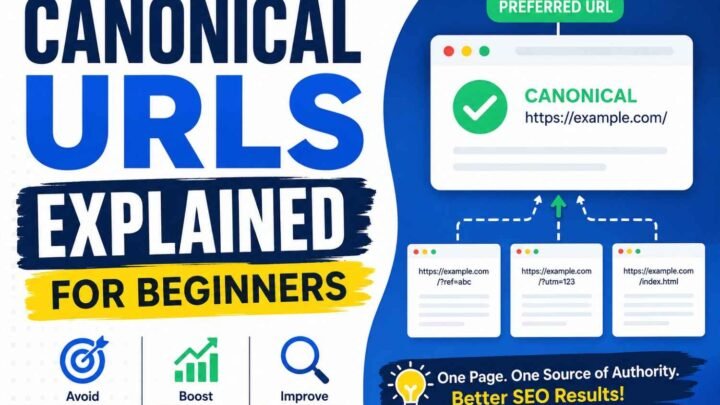
I seen this many times with tracking links, HTTP/HTTPS versions, filters, even old CMS pages. Google normally groups such duplicate URLs and picks one page as the representative, called the canonical URL.
Near-Duplicate Content
This gets little tricky.
A store may create separate pages for red, blue, and black shirts. Color changes, maybe photo changes. But description, price, specs, and page purpose stay nearly same.
Google can also cluster pages when their main content is very similar.
Internal vs External Duplicate Content
Internal duplication happens inside your own site.
External duplication happens across different websites, including copied or syndicated content.
One thing remember: duplicate content is not same as duplicate titles or keyword cannibalization.
Does Duplicate Content Hurt SEO? Is There a Google Penalty?
Duplicate content sounds scary. Many site owners see this warning and think, “Google will punish my site now.” I also used to look at it that way.
But normal duplicate content is not automatically a Google spam violation. Google itself says some duplicate content is normal. Google often finds similar pages, puts them in one group, then chooses one URL as the canonical URL.
The “Duplicate Content Penalty” Myth
There is no simple rule like, “same content = penalty.”
The bigger trouble is different.
You may want URL A indexed, but Google picks URL B. Your Search Console reports become confusing. Links inside your site may point to many versions. Googlebot may also spend time crawling URLs which give nearly same value.
For small blog, maybe this stays manageable.
For big shop, filters can become ugly fast.
Google says faceted navigation can create almost endless URL combinations. This may cause overcrawling and slower discovery of important new pages.
So don’t panic about penalty first.
Ask better question:
Which duplicate URL should Google keep, and why are the other versions existing?
Step 1 — Find Duplicate Content on Your Website
Don’t start fixing random pages.
First collect evidence.
Method 1 — Crawl Your Website
Use a site crawler and export:
- URL
- HTTP status
- indexability
- canonical URL
- title
- H1
- redirects
- content similarity
Then separate exact duplicate pages from near-duplicate pages.
I find this important because two URLs looking little similar is not same problem as two URLs showing almost exact page.
Method 2 — Use Google Search Console
Open Page Indexing and look for strange patterns. Then inspect suspicious URLs one by one.
In URL Inspection, check what Google knows about that page, especially the Google-selected canonical. Google recommends URL Inspection when you want to see which URL Google considers canonical.
Method 3 — Test URL Variations Yourself
Try versions like:
http://example.com/page
https://example.com/page
https://www.example.com/page
https://example.com/page
https://example.com/page?sort=price
If several versions open same content, now you found something worth checking.
Method 4 — Check CMS-Created URLs
Look inside tags, archives, filters, sort pages, search URLs, product variants, tracking links, printer pages and session IDs.
These quiet URLs cause many problems. Nobody remembers creating them.
Method 5 — Check External Copies
Take one unusual sentence from your important page and search it in Google.
Sometimes another site copied it. Sometimes your own content was syndicated elsewhere.
Don’t guess from SEO-tool warning alone. Find the URL, see the page, check the canonical, then understand why that duplicate exists.
EEAT idea: show your own crawl screenshot and Search Console URL Inspection screenshot. Real proof helps reader much more than some clean stock image.
Step 2 — Find Out Why the Duplicate URL Exists
Do not fix duplicate content too fast. First ask one thing: why this second URL even came?
I seen this many times. Owner blame content. But real trouble hiding inside URL setup.
Common Technical Causes
| Cause | Example | Typical risk |
|---|---|---|
| HTTP/HTTPS | http vs https | Two page versions |
| www/non-www | www.site.com vs site.com | URL duplication |
| Parameters | ?sort=price | More crawl URLs |
| Filters | ?color=black | Huge URL combinations |
| Tracking | ?utm_source=x | Alternate URLs |
| Product variants | /shirt?color=red | Similar product pages |
| CMS archives | /tag/seo/ | Repeated listing pages |
| Staging site | dev.example.com | Copy of live site |
Google itself lists protocol versions, regional pages, mobile/desktop versions, sorting, filtering, and accidentally open demo sites as common reasons duplicate URLs happen.
E-commerce sites get messy very quick.
You may have only 200 products. Looks small. But then:
Color × Size × Brand × Price × Sort
Now one category can create thousands of URL combinations.
I would not start rewriting product text here. That wastes time.
First crawl the site. Check parameters. Open filters. Look at canonicals. See which URLs Google finds.
Sometimes CMS plugin also point canonical toward wrong page. Google specifically warns this can happen.
So this problem often not writing problem.
It is URL architecture and crawling problem first.
Step 3 — Decide Which URL Should Google Index
Now one hard question come. Which URL you really want Google to keep?
I seen people fixing duplicate content too fast. Add canonical here, redirect there. Later they find wrong page disappeared.
First compare both URLs. Are they really same? Do users need both? Maybe one page gets backlinks, traffic, good internal links. Other one only created by filter or old CMS path.
Google says it looks at signals like redirects, rel="canonical", HTTPS, and sitemap URLs when choosing a canonical page. Still, Google can pick another URL if its systems think that page is better representative.
| Situation | Better choice |
|---|---|
| Exact duplicate, no need second URL | Redirect |
| Both URLs must stay | Canonical |
| Useful page, not needed in Search | Consider noindex |
| Two weak pages, same purpose | Merge them |
| Similar pages, different search need | Make each stronger |
| Important product variants | Check separately |
My simple rule: don’t choose URL only because it looks shorter. Check backlinks, sitemap, internal links, traffic, page purpose, and long-term use.
You want one clear winner, not five pages giving Google five different stories.
Step 4 — Choose the Correct Fix: Redirect, Canonical, Noindex, Rewrite or Consolidate
This part confuse many site owners. Same duplicate content problem, but fix can be very different. I learned this hard way. Putting canonical tag everywhere looks easy. But sometimes wrong fix only hide problem.
Option 1 — 301 Redirect
Use a 301 redirect when old or duplicate URL no longer need own life.
Example:
http://example.com/product
→
https://example.com/product
Now user reach one permanent page. Search engines also get a clear path.
I normally use this when old URL has no reason to stay. HTTP to HTTPS, old product path, changed slug, duplicate category path. Simple case.
Google also treats redirects as one important canonical signal.
Option 2 — rel=”canonical”
Sometimes both URLs must stay open.
Maybe tracking URL exist. Maybe filter URL useful for shoppers. But you want one main URL shown in Search.
Then canonical can fit.
<link rel="canonical" href="https://example.com/shoes/">One thing people miss: canonical is not a command carved in stone. Google says it may choose another page if its systems think another URL is more useful or technical signals disagree.
So check internal links, sitemap, redirects too.
Option 3 — Noindex
Use noindex when page should work for people, but you do not want that page inside Google Search.
Think account pages, some internal search pages, thin utility pages.
Do not mix this with canonical thinking.
Canonical says: “Prefer this other URL.”
Noindex says: “Do not index this page.”
Different jobs.
Option 4 — Rewrite or Differentiate
This is where shortcuts fail.
If two pages deserve separate rankings, changing 10 words is not enough. You need different purpose.
Change the real value:
- examples
- specs
- use cases
- comparisons
- FAQs
- proof
- buyer needs
Google says pages usually separate from duplicate clusters faster when content difference becomes clear and meaningful.
Option 5 — Consolidate
Sometimes two pages are both weak.
Do not keep feeding both.
Merge the useful parts into one stronger page. Keep best URL. Then redirect retired page when it makes sense.
That often feels painful because we hate deleting work. But one useful page can be better than two pages saying almost same thing.
Before touching duplicate content, ask one question first:
Does this second URL really need to exist?
That answer usually points you toward the right fix.
Step 5 — Fix E-commerce Duplicate Content and Faceted Navigation
E-commerce duplicate content can become big very fast. I seen this many times. One product is not always one URL. A shirt may have red, blue, black, small, large, cotton, another model. Then category paths also make more URLs.
Product Variants
Google says product variants can use separate URLs, like:
/t-shirt/green
or
/t-shirt?color=green
When optional query parameters show variants, Google recommends using the URL without that parameter as canonical where suitable. Also, pages you want indexed should use self-referencing canonical tags. Keep sitemap links and internal links pointing to same preferred URLs.
This part looks small. But wrong setup can make hundreds of almost same product pages.
Filters and Sorting
Now filters become more messy.
/laptops?brand=dell
/laptops?brand=dell&ram=16
/laptops?brand=dell&ram=16&sort=price
Add price, screen size, processor, storage, color. URLs keep growing.
Google says faceted navigation is one of the most common sources of overcrawling because each filter combination may create another URL. Too much crawling on useless combinations can also slow discovery of useful new pages.
Take simple example. Your store have 10,000 products, but filters create 600,000 crawlable URLs. Do not index everything because URL exists.
First find filters people really search. Keep valuable landing pages. Control useless combinations. Then make canonical, internal links and sitemap say same thing.
For EEAT, show your before-and-after crawl screenshots. Numbers from your own store tell stronger story than theory.
Step 6 — Align Every Canonical Signal
A canonical tag alone not enough. I seen this mistake many time. Page says one thing, sitemap says another. Internal links go somewhere else. Google now getting mixed road signs.
Say your preferred URL is:
Then check all signals:
| Signal | Should point to |
|---|---|
| Canonical | /shoes/ |
| Internal links | /shoes/ |
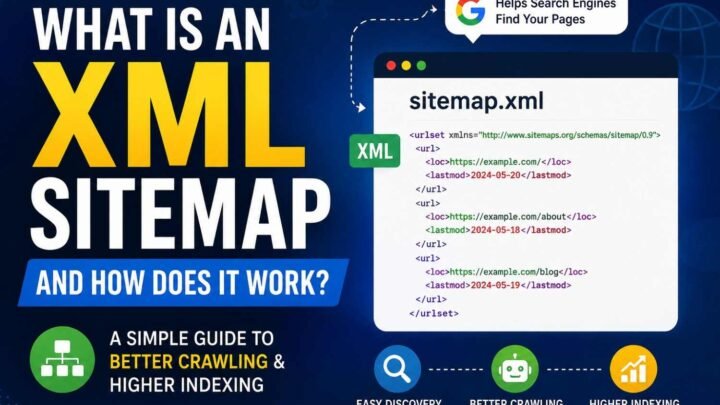
| XML sitemap | /shoes/ |
| Redirects | /shoes/ |
| HTTPS version | /shoes/ |
| Navigation links | /shoes/ |
| hreflang | matching canonical regional page |
Google says redirects and rel="canonical" are strong canonical signals. Sitemap inclusion is weaker, but these signals can work together. Its canonical guidance was updated August 20, 2026.
Here common mess I find.
Canonical says B.
Sitemap still showing A.
Menu keeps linking A.
Old redirect suddenly sends user to C.
Now which page you really want?
Pick one clear URL. Then make every important signal support that choice. For regional duplicate pages, keep canonical and hreflang working together, not fighting each other.
Step 7 — Google Search Console Duplicate Content Troubleshooting
Google Search Console is where I check first when one URL is acting strange. Sometimes page looks fine to us, canonical tag also fine, but Google picked another page. That part can be little irritating.
Check 1 — Inspect the Duplicate URL
Open Search Console → URL Inspection and paste the full URL.
Then look at:
- indexing status
- last crawl details
- user-declared canonical
- Google-selected canonical
Google says URL Inspection can show which page Google currently treats as canonical.
Take screenshot here. It helps later.
Check 2 — Compare Both Canonicals
A simple way I use:
| What you see | Meaning |
|---|---|
| Declared A → Google A | Mostly good |
| Declared A → Google B | Need checking |
If Google picked B, don’t quickly think Google made mistake.
Open A and B side by side.
Ask yourself. Is B more complete? Is A almost copy? Are most internal links going to B? Maybe sitemap says A but redirect says something else. Maybe rel="canonical" is wrong. For country pages, missing localization tags can also become part of problem.
Google’s current troubleshooting guide, updated August 21, 2026, says first check whether Google’s selected canonical may actually make better sense for users coming from Search.
Check 3 — Fix Cause First
This was mistake I made before. Request indexing again and again. Nothing useful happened.
Fix actual issue first.
Check canonical HTML, redirects, sitemap, internal links, page similarity, and hreflang where needed.
Check 4 — Ask Google to Recheck
After real changes, run Test Live URL, then use Request Indexing for important pages. Google says this feature has quotas, so don’t waste it on every duplicate URL.
And patience needed here.
Google says pages may stay inside the same duplicate cluster for up to two weeks even after content problems are fixed.
For your screenshots, show it like this:
Before → wrong canonical → fix made → Live Test → Request Indexing → Google-selected canonical later
That small proof tells much more than writing ten lines saying “issue fixed.”
Step 8 — Common Duplicate Content Fixes That Fail
Some duplicate content fixes look smart. Then site become more messy.
Don’t Canonicalize Everything
I seen this many times. Two pages look close, so owner point both toward one URL. Bad move if user intent is different. If each page solve different need, keep them separate and improve the real difference.
Don’t Block First
robots.txt, noindex, and canonical are not same medicine. Robots controls crawling. Noindex controls search indexing. Canonical tells which duplicate URL you prefer. Google itself says robots.txt should not be used for canonicalization.
Don’t Keep Duplicate URLs in Sitemap
Your sitemap should normally contain preferred canonical URLs, not every copy.
Don’t Build Canonical Chains
Avoid A → B → C. Point A directly toward C.
Changing 10 words also not magic. Near-same page can stay near-same.
And canonical is not an order. Google may choose another URL when its signals say so.
Last one: never delete every URL your SEO tool marks “duplicate.” Check why it exists first.
Step 9 — How to Verify the Duplicate Content Fix Worked
Fix done? Good. But don’t trust that green “0 duplicate pages” message too fast.
First, crawl those URLs again. Check status code. Open the page source or rendered HTML and see the canonical tag with your own eyes. I also check internal links, XML sitemap, robots.txt and any noindex tag. One wrong old link can still keep sending Google toward the bad URL.
Then wait for Google to process things.
Inside Google Search Console, inspect the important URL. Look at the Google-selected canonical and compare it with the URL you wanted. Google says even after fixing duplicate content, pages can remain inside the same duplicate cluster for up to two weeks.
Use this small check:
| Check | What you want |
|---|---|
| Status code | Correct response |
| Canonical | Preferred URL |
| Sitemap | Preferred URLs only |
| Search Console | Correct canonical/indexing |
| Clicks & impressions | Moving to right page |
I learned not to celebrate only because crawler says clean. Search Console may tell another story.
Real success is simple. Your unwanted duplicate URLs stop coming back, Google keeps the right canonical, and useful pages still get found.
Duplicate Content Real-World Examples
Duplicate content look small first. Then you crawl site and suddenly many URLs sitting there. Same page, little URL change. I seen this many times, mostly store sites.
| Website | Problem | What usually happening | Fix direction |
|---|---|---|---|
| Blog | /post + /post?utm=x | Tracking duplicate | Keep URL/canonical signals same |
| Store | Many filter URLs | Faceted crawl space | Control crawling and indexing |
| SaaS | /pricing + /pricing/ | URL version conflict | Redirect to preferred URL |
| Store | Color variants | Near-duplicate pages | Product canonical plan |
| Publisher | Syndicated article | Same content across sites | Check indexing strategy |
| International | US/UK similar pages | Regional duplicate | Canonical + hreflang |
Google says sorting, filtering, HTTP/HTTPS versions and regional pages can create duplicate URLs. Some duplication is normal.
Store filters can become messy very fast. Google warns poor URL structure may make crawler fetch same content many times.
Illustrative case: site had 45,000 crawlable URLs. Around 30,000 came from useless filter combinations. We reduce those crawl paths, clean canonicals, sitemap and internal links. After that, I would watch crawl activity, indexed URLs, Google-selected canonicals and organic landing pages. Not only “duplicate count.” That number alone can fool you.
Duplicate Content Fix Decision Tree
When I find duplicate content, I do not fix fast. First I ask one thing: are these two URLs really doing same job?
If no, keep both. But make sure each page gives its own value. Different search need, different answer, different reason to exist.
If yes, then next question come.
| Question | What I usually do |
|---|---|
| Both URLs needed? No | Redirect duplicate URL to preferred URL |
| Both needed, but only one should rank? | Check canonical or noindex based on page purpose |
| Both should rank? | Make content and intent clearly different |
| Filters making too many URLs? | Keep only useful crawl/index paths |
Google says duplicate pages are normal in many websites, but Google may choose a different canonical URL than the one you want.
This part can be annoying. I seen clean canonical tag, still Google picks another URL.
Then I check everything, not only tag.
Content. Redirect. Internal links. Sitemap. HTTPS. Hreflang if regional pages there.
If signals fight each other, Google gets mixed message.
After fixing, use URL Inspection for important pages and request indexing. Google says duplicate clusters can take up to two weeks to change after content fixes.
So don’t panic next morning. Fix the cause. Then watch what Google actually selects.
FAQ About Duplicate Content
1. Is duplicate content bad for SEO?
Not always. Duplicate content itself is not the big danger. Trouble starts when Google keeps finding many same pages, crawls useless URLs, or picks a page you did not want as main one.
2. Does Google penalize duplicate content?
Usually no. Google says some duplicate content is normal and it is not against spam policies. So don’t panic only because an SEO tool shows “duplicate.” First see why those URLs exist.
3. How can I find duplicate content?
I normally start with a site crawl. Then Search Console URL Inspection. Check parameters, filters, HTTP/HTTPS, www versions, product variants and CMS-made pages. Strange duplicates often hide there.
4. How much duplicate content is acceptable?
There is no useful safe percentage. I would not chase 10%, 20%, or some made-up number. Ask a better question: does each page give its own reason to exist?
5. What is a canonical URL?
It is the representative URL Google chooses from a group of duplicate or very similar pages. One main version, basically.
6. Can Google ignore my canonical tag?
Yes. This surprises site owners a lot. Your canonical is a strong signal, not a command. Google can still choose another URL.
7. Canonical tag or 301 redirect?
If old duplicate page is no longer needed, redirect it. If both URLs must stay available, canonical may fit better.
8. Should I noindex duplicate content?
Not automatically. First know the cause. Noindex means you don’t want that page indexed. Canonical means another URL should represent similar content. Different jobs.
9. Does robots.txt fix duplicate content?
No, not by itself. Robots.txt controls crawling. Canonicalization handles which duplicate URL should represent the content. Mixing these ideas caused me more confusion than the duplicate pages sometimes did.
10. Are product variants duplicate content?
Sometimes very close. Size, color, or filter pages may show almost same main content. Decide whether each variant truly needs its own search visibility before indexing everything.
11. Why did Google choose another canonical?
Could be stronger signals, more useful content, bad CMS settings, redirects, wrong canonical code, or pages being too similar. Check Search Console before guessing.
12. How long does a canonical fix take?
No fixed promise. Google says pages may stay inside the same duplicate cluster for up to two weeks even after content issues are fixed. That waiting part can feel long. Recheck important URLs, not every hour.
Final Duplicate Content Checklist
Before you close this SEO work, check one more time. I always do this because small URL mistake can stay hidden long.
Find → Diagnose → Decide → Fix → Align → Validate → Monitor
- Find duplicate and near-duplicate URLs.
- See why those pages exist.
- Ask, both pages really needed?
- Pick one preferred URL.
- Use redirect, canonical, noindex, merge, or make page truly different.
- Keep internal links and XML sitemap pointing right.
- Crawl site again.
- Check main URLs inside Google Search Console.
- Compare declared canonical with Google-selected canonical.
- Watch indexing and organic traffic.
Your aim is not making every page 100% unique. Give every useful page one clear job, and help Google know which URL should stand for that content.