An XML sitemap is simple file, but many site owners expect too much from it. It holds the clean, canonical URLs you want search engines to find. Googlebot may discover this sitemap through Google Search Console, robots.txt, or sitemap links already known.
Then what happen? Google reads those URLs, checks useful data like accurate lastmod, and puts pages into possible crawl list. But this part confuse many people. Sitemap does not force Google crawling, Google indexing, or ranking.
I learned this after seeing pages inside sitemap still not indexed. The problem was not sitemap. Some pages had weak links, duplicate signals, or low value.
Think of it like giving Google a clean list of doors worth checking, not ordering Google to enter every room.
What Is an XML Sitemap?
An XML sitemap is a file that gives search engines a clean list of important URLs on your website. XML means Extensible Markup Language. Sounds technical, but the job is simple. It help machines read site information in a fixed format.
I normally see it like a URL inventory. You may have 20 pages or 20,000 pages. The sitemap tells a crawler such as Googlebot, “these are the canonical URLs I want you to notice.”
A common address is:
example.com/sitemap.xml
But this is not fixed. WordPress core, for example, can use /wp-sitemap.xml, while SEO tools may create paths such as /sitemap_index.xml. WordPress added its core XML sitemap system in version 5.5.
The file may also carry metadata like a page’s meaningful last update date. Google says XML is its most versatile sitemap format and can also describe image, video, news, and localized content.
One confusion I see often: XML sitemap is not an HTML sitemap. HTML sitemap is mainly for people clicking around your site. XML sitemap is mainly machine-readable, built around the sitemap protocol, search crawlers, and URL discovery.
Also, sitemap is useful infrastructure, not magic. Your site can exist without one. But for clean crawl discovery, I would rarely leave a growing website without it.
How Does an XML Sitemap Actually Work?
An XML sitemap does not push your page into Google. This part confuse many site owners. It mainly helps search engine find the URL first. Google itself says submitting a sitemap is only a hint, not a promise that Google will crawl or index every URL.
The path normally goes like this:
Sitemap found → XML read → URL discovered → crawl planned → page fetched → page checked → maybe indexed → maybe ranked
When Google finds your sitemap, it downloads that XML file and reads URLs inside the <loc> tags. If your <lastmod> date is correct and stays trustworthy, Google may also use it while deciding when a page need another crawl. Google says it ignores <priority> and <changefreq>.
Then things become little harder.
A crawler may visit that URL and first see the HTTP response. Is page working? Is robots rule allowing crawl? Can Google render the content? Which URL is canonical? Is same content already found somewhere else? Is the page useful enough for indexing?
This is why I never treat these words same:
Discovered ≠ Crawled ≠ Indexed ≠ Ranked
You can see URL inside sitemap and still not see it in Google Search.
Say you publish a fresh article today. No backlinks yet. Maybe even internal links are not strong. Your XML sitemap can expose that new URL to Google earlier. But sitemap alone cannot force Googlebot to crawl it today, index it tomorrow, or rank it on page one. Google says crawling itself may take from a few days to a few weeks, and requesting crawl does not guarantee inclusion.
So sitemap opens the door. Your page quality, crawl access, canonical setup, internal linking and usefulness decide what happens after that.
What Does an XML Sitemap Look Like?
When you first open an XML sitemap, it may look like coding mess. I also felt same first time. But actually, basic sitemap is very small thing.
<?xml version="1.0" encoding="UTF-8"?>
<urlset xmlns="http://www.sitemaps.org/schemas/sitemap/0.9">
  <url>
    <loc>https://example.com/xml-sitemap-guide/</loc>
    <lastmod>2026-08-20</lastmod>
  </url>
</urlset>
The first line says this is an XML file using UTF-8 encoding. Then <urlset> works like one main box holding the page URLs and sitemap XML namespace. Inside it, every <url> means one page record.
<loc> is the important part. It gives the full absolute URL, not something short like /xml-sitemap-guide/. Google recommends fully qualified URLs such as https://example.com/xml-sitemap-guide/.
<lastmod> is optional. Use it only when page really got an important update. The date can follow W3C date format, like 2026-08-20. Google says accurate lastmod may be used, but fake or constantly changed dates are not useful.
You may also see <priority> and <changefreq>. They still exist in the sitemap protocol, but Google ignores both values today. So no need wasting time putting priority 1.0 everywhere.
One more small thing people miss: special characters inside XML values need entity escaping, such as using & instead of a raw &.
<?xml version="1.0" encoding="UTF-8"?>
<urlset xmlns="http://www.sitemaps.org/schemas/sitemap/0.9">

  <url>
    <loc>https://www.example.com/</loc>
    <lastmod>2026-08-20</lastmod>
  </url>

  <url>
    <loc>https://www.example.com/blog/</loc>
    <lastmod>2026-08-20</lastmod>
  </url>

  <url>
    <loc>https://www.example.com/what-is-xml-sitemap/</loc>
    <lastmod>2026-08-21</lastmod>
  </url>

  <url>
    <loc>https://www.example.com/robots-txt-guide/</loc>
    <lastmod>2026-08-15</lastmod>
  </url>

  <url>
    <loc>https://www.example.com/google-search-console-guide/</loc>
    <lastmod>2026-08-10</lastmod>
  </url>

  <url>
    <loc>https://www.example.com/about/</loc>
    <lastmod>2026-07-25</lastmod>
  </url>

</urlset>
Big Website Sitemap Mapping or Structure:
example.com/
│
├── robots.txt
│
├── sitemap_index.xml
│ │
│ ├── post-sitemap.xml
│ │ ├── /what-is-xml-sitemap/
│ │ ├── /technical-seo-guide/
│ │ └── /google-search-console-guide/
│ │
│ ├── page-sitemap.xml
│ │ ├── /
│ │ ├── /about/
│ │ └── /contact/
│ │
│ ├── category-sitemap.xml
│ │ ├── /seo/
│ │ ├── /blogging/
│ │ └── /wordpress/
│ │
│ ├── product-sitemap.xml
│ │ ├── /product/product-a/
│ │ └── /product/product-b/
│ │
│ ├── image-sitemap.xml ← if needed
│ ├── video-sitemap.xml ← if needed
│ └── news-sitemap.xml ← news sites only
Does an XML Sitemap Help SEO?
An XML sitemap can help SEO, but not like a magic ranking button. It mainly helps Google find your pages easier. New post, new product page, or a page sitting deep inside your site with only one weak internal link, sitemap can bring that URL into Google’s discovery path faster.
I seen this problem many times on growing sites. Page was live, content was fine, but Google did not know it fast enough. Sitemap was not the full fix, still it gave Google a clean list to check. Google itself says a sitemap is an important way to discover many URLs, especially after launching a site or moving a site. Requesting crawl still does not guarantee indexing.
A good sitemap also helps crawl efficiency. Keep real <lastmod> dates when important content changed; Google recommends this for updated content. In Search Console, sitemap URLs become easier to watch as one group, so indexing coverage problems are less messy.
Large sites get more value here. Thousands of URLs need clean management.
But remember this part. XML sitemap SEO cannot make weak content rank. It cannot repair bad canonical tags, thin pages, broken links, or poor search intent. Sitemap helps discovery and crawl scheduling. Quality still decides much more.
Who Needs an XML Sitemap Most?
Not every website need XML sitemap same way. I see this mistake often. Small site owner panic, big store owner ignore it.
Google says a site with about 500 pages or fewer may not need a sitemap when all important pages are well linked inside the site. That is useful rule, not a ban. A simple 10-page plumber website with clean menu and internal links can still be found without sitemap. Keeping one is cheap though, and Search Console gives extra checking help.
You need XML sitemap much more when your site is new and few websites link to you. Same for ecommerce stores, big blogs, news sites, multilingual sites, and websites with many images or videos. Google also says sitemaps are especially helpful after a new site launch or site move.
Think bigger. A store with 50,000 product URLs has far more sitemap value than five service pages. One sitemap file can contain up to 50,000 URLs, so large stores often split files by products, categories, or sections.
My simple rule: more URLs, more changes, weaker links = sitemap becomes more useful.
Which URLs Should Be in Your XML Sitemap?
I like to see XML sitemap as a clean shelf of pages I really want Google to find. Not storage room where every URL gets thrown inside.
Put your important canonical URLs there. Pages should normally return HTTP 200, be open for indexing, and be pages you actually want people to land on from Google. Google itself says to include URLs you want to see in Search, and use the preferred canonical version when same content has many URLs.
So I usually keep things like:
- useful blog posts
- product pages still for sale
- important category pages
- service and landing pages
- other real index-worthy pages
Then I look for dirty URLs. noindex pages should not sit there because noindex tells Google to remove that page from Search. Redirect URLs, 404/410 pages and server-error pages also make little sense. Google says pages normally need an HTTP 200 success response to be indexed.
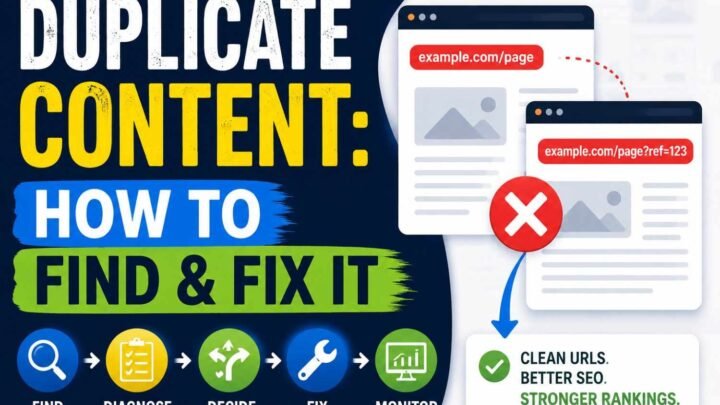
I also remove duplicate or noncanonical URLs, staging pages, login/account pages, checkout and thank-you pages when they have no search value, internal search pages, and useless filter or parameter URLs.
One simple check helps me many times: your sitemap, canonical tags, robots rules and internal links should tell Google same story. When one says “important” and another says “keep this out,” confusion starts.
Next useful section is usually “XML Sitemap Tags That Matter in 2026,” because it explains which sitemap fields Google really uses and which ones it ignores.
XML Sitemap Tags That Matter in 2026
Not every tag inside an XML sitemap is useful to Google same way. This part confused me before too. You see many sitemap examples using four tags, then you may think all four help SEO. They don’t.
<loc> is the main one. It tells the exact page URL. Use full URL like https://example.com/page/, not only /page/. Google also recommends putting the canonical URL you want in search results.
<lastmod> is optional, but this one can help when your date is real. Google says it may use this value when it is consistently accurate. Change it after real updates like main content, structured data, or important links. Changing only copyright year is not meaningful.
I have seen one bad setup often: sitemap generator gives today’s date to every URL, every day. Looks fresh, but it is fake freshness. Better give no <lastmod> than keep sending wrong date.
<changefreq> and <priority> are valid sitemap protocol fields, but Google says it ignores both values.
So keep it simple. Correct <loc>, honest <lastmod>, clean canonical URLs. That matters more than filling every XML tag.
Sitemap Limits and Sitemap Indexes
A single XML sitemap cannot grow forever. Google currently allows up to 50,000 URLs or 50 MB uncompressed, whichever limit comes first. If your sitemap crosses either one, you must split it into smaller sitemap files.
But I would not wait for URL number 50,001.
When a site grows, separate sitemaps early in a useful way. Maybe:
product-sitemap.xmlcategory-sitemap.xmlblog-sitemap.xmlvideo-sitemap.xml- regional sitemap where needed
Then connect those files using a sitemap index, built with the <sitemapindex> tag. One sitemap index can list up to 50,000 sitemap locations.
This looks like extra work at first. Later, it saves headache.
Say your ecommerce site has 40,000 URLs. You can keep all inside one sitemap. Technically fine. But I may split 30,000 products, 5,000 categories, and 5,000 articles. Then Search Console data becomes easier to read. If product URLs have poor indexing but articles look healthy, you know where to investigate first.
So sitemap splitting is not only about Google limits. It also gives you cleaner SEO debugging. Google itself notes separate sitemaps can help track individual sitemap performance in Search Console.
How to Create an XML Sitemap
First, don’t install anything yet. I normally check the site first. Open yourdomain.com/sitemap.xml. Maybe sitemap already sitting there and doing its job.
If you use WordPress, also check /wp-sitemap.xml. WordPress added XML sitemaps into its core from WordPress 5.5, released in 2020, so today you do not need a plugin only for getting basic sitemap. SEO plugins can still create their own sitemap index, often something like /sitemap_index.xml.
For Shopify, much less headache. Shopify automatically creates /sitemap.xml and updates it when products, collections, pages, images, or blog posts change. Wix also creates and updates sitemap files automatically when your site changes.
For custom or headless sites, I prefer sitemap generation from your real content database or build process. Manual XML file looks easy at first. Later one deleted page, one changed URL, then old links remain there. Problems starts.
Before you trust sitemap, check these things:
- XML should use UTF-8.
- URLs should be full HTTPS URLs.
- Keep only URLs returning HTTP 200 that you want indexed.
- Sitemap URL should match its canonical URL.
- Use
<lastmod>only when page really changed.
For changing websites, automatic sitemap is safer. Manual sitemap is okay for five or ten stable pages. Anything growing, automate it. Less human mistake, less cleanup later.
How to Submit an XML Sitemap to Google
Submitting your XML sitemap to Google is not hard, but I see many site owners doing one mistake. They submit it, then never check again.
First, verify your website inside Google Search Console. Then open Indexing → Sitemaps, enter your sitemap path such as sitemap.xml, and click Submit. After this, keep checking the sitemap report. Google shows when it accessed the sitemap and may show processing errors too.
I also add this line inside robots.txt:
Sitemap: https://example.com/sitemap.xml
Google says it can find that sitemap when Googlebot next crawls your robots.txt file.
One old trick you should forget. Google’s unauthenticated sitemap ping endpoint was retired in 2023 and now returns 404.
And please don’t keep submitting same unchanged sitemap again and again. It does not force Google to crawl faster. Sitemap submission is only a hint, not command.
XML Sitemap vs Robots.txt vs HTML Sitemap
I used to mix these files too. Sitemap, robots.txt, HTML sitemap, canonical tag. Names sound technical, work is actually different.
An XML sitemap is mainly a list of URLs you want search engines to know about. It may help Google discover important pages, but submitting one is only a hint. It does not force Google to crawl or index every URL. Google itself says this clearly.
A robots.txt file does another job. It tells crawlers which site paths they may or may not request. Blocking a URL here does not simply mean “remove this page from Google.” That confusion causes many SEO problems.
An HTML sitemap is more for real people. You click it, see useful page links, move through the website. It can also create extra internal links, which sometimes helps crawlers find deeper pages.
Then comes the canonical tag. If two URLs show same or very similar content, rel="canonical" tells Google which version you prefer. Google considers this a stronger canonical signal than sitemap inclusion.
| Tool | Main job |
|---|---|
| XML sitemap | Show important URLs |
| robots.txt | Control crawling |
| HTML sitemap | Help visitors navigate |
| Canonical tag | Choose preferred duplicate URL |
For XML sitemap vs robots.txt, don’t pick one. Usually you need them working together, not fighting each other.
Special Sitemap Types: Images, Video, News and Hreflang
Normal XML sitemap is enough for many websites. But sometimes your content need little more help. Images, videos, news pages, and multi-language pages can carry extra sitemap data. Google says XML sitemaps can include all these extensions.
Image sitemap make most sense when Google may not easily find your pictures, maybe images loaded by JavaScript, large galleries, product photos, or photography sites. Google allows up to 1,000 <image:image> entries inside one <url> entry. If your images already crawl fine, I would not add extra work only because somebody says “image sitemap is good SEO.”
Video sitemap is more useful when video is important part of your page. It can tell Google extra video details and help discover newly added videos, or videos normal crawling may miss. Google officially recommend video sitemaps, while mRSS is also supported.
News sitemap is different. Very time sensitive. Google says include only articles published in the last two days. Older article can stay in normal sitemap, but its News metadata should be removed.
For international sites, hreflang sitemap annotations can connect English, German, India, US, UK, or other language-region versions. Google accepts hreflang through HTML, HTTP headers, or sitemap, and says these methods are equal. Using all three gives no Search benefit and can become harder to manage.
So, add special sitemap types only where real content need exists. More XML is not automatically better SEO.
8 XML Sitemap Mistakes That Hurt Crawl and Indexing Diagnostics
A sitemap looks simple. Just URLs in one XML file. But I seen small sitemap mistakes creating very confusing indexing problems, mainly because your sitemap says one thing while your website says another.
1. Putting noindex URLs inside sitemap — You tell Google, “Please discover this page,” then page itself says, “Do not index me.” Mixed signal. Remove every noindex URL from your XML sitemap.
2. Keeping redirect URLs — If sitemap lists /old-page/ but it redirects to /new-page/, crawler makes one extra request for no good reason. Put final canonical URL directly.
3. Leaving 404 or 5xx URLs — Deleted pages and server-error pages make sitemap dirty. I treat sitemap like clean stock list. If product gone, remove it. If URL should exist, fix server problem first.
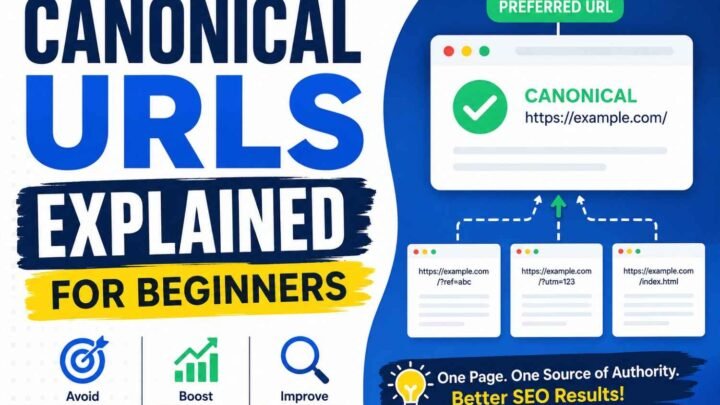
4. Adding noncanonical URLs — Google may see one URL in sitemap but another URL in canonical tag. Again confusion. Sitemap should normally carry the canonical version Google should consider for search. Google itself recommends listing preferred canonical URLs.
5. Faking lastmod dates — This one looks clever but not. Changing every URL to today’s date does not make Google crawl everything faster. Google says lastmod should match a real significant page update, such as main content, structured data, or useful links. If dates keep lying, Google may stop trusting them.
6. Mixing HTTP and HTTPS URLs — Your live site is HTTPS but sitemap still carries HTTP pages. Regenerate sitemap using complete canonical HTTPS URLs.
7. Making sitemap too large — One sitemap can contain maximum 50,000 URLs or 50 MB uncompressed. Bigger than this? Split files and use a sitemap index.
8. Never updating sitemap — New pages missing, old pages sitting there for months. This becomes stale map. Let your CMS or site system generate it automatically, especially when site changes often.
Why Are Sitemap URLs “Discovered” but Not Indexed?
You added URL in XML sitemap. Google Search Console found it. Still page not showing in Google. This feels strange first time.
“Discovered – currently not indexed” mostly means Google already knows your URL, but Googlebot has not crawled that page yet. Google itself says new pages may need a few days, and after submitting sitemap or indexing request, sometimes you should allow at least a week before thinking something broken.
I usually don’t start by submitting sitemap again and again. That rarely solve root thing.
Check one affected URL inside URL Inspection. Then see these points slowly:
- Page returning HTTP 200 or server giving 5xx?
robots.txtblocking crawl?- Any
noindextag sitting there by mistake? - Is Google choosing another URL as canonical?
- Is page duplicate or almost same like another product/category page?
- Does page look like soft 404?
- Can Google render main content?
- Is this page getting useful internal links?
Google says not every known URL should become indexed. Duplicate pages, blocked URLs and alternate canonical pages can stay outside index normally.
On big ecommerce sites, I seen this more when thousands product URLs appear suddenly. Google knows them from sitemap, but crawl demand may stay low, or server capacity may make crawling slower. Weak pages with tiny copied descriptions also give Google less reason to spend more crawl work.
The important difference is this: sitemap discovery is not indexing approval.
So fix page quality, canonical signal, crawl access, internal links and server problems first. Then request indexing for important corrected pages. Re-submitting same XML sitemap ten times cannot repair a bad page underneath.
XML Sitemap Best-Practice Checklist for 2026
Before I call any XML sitemap “good”, I check the URLs one by one type. Not every page deserves place there.
Keep only canonical and indexable URLs. They should return HTTP 200, use full HTTPS absolute URLs, and be pages you really want people finding in Google. Google also says one sitemap can hold maximum 50,000 URLs or 50 MB uncompressed. Bigger site? Split files and use a sitemap index.
Your XML file should be valid UTF-8. Use <lastmod> only when page got real important change. Fake fresh dates not helping; Google may use lastmod when it stays accurate. Google ignores <priority> and <changefreq>.
My quick audit looks like this:
- Keep sitemap updating automatically.
- Add sitemap location inside
robots.txt. - Submit it in Google Search Console.
- Watch sitemap processing errors.
- Remove redirects, dead URLs, and noindex pages.
- Internally link important orphan pages.
- Regenerate sitemap after site migration.
Think simple. Your sitemap should look like a clean shelf of pages you trust enough to send a real search visitor there. If page is messy, duplicate, dead, or unwanted, why show it to Google first?
XML Sitemap Example by Website Type
XML sitemap setup changes with the website. One sitemap idea not fit every site. I learned this when checking sites having too many useless URLs inside sitemap, while important pages sitting outside.
For a small business website, keep things simple. Services, About, Contact, location pages, and helpful resources can stay in one XML sitemap. No need making five sitemap files for twenty pages.
A blog is little different. Posts and main pages should go there. Category pages can also stay, but only when you actually want Google indexing those archives. Thin tag pages? I usually leave them out.
For ecommerce, separate files make life easier. Product sitemap, category sitemap, and blog or guide sitemap. When indexing drops, you can quickly see which group got trouble.
A news publisher may keep normal sitemap plus News sitemap data. Google says News sitemap entries should cover articles published within the last two days.
For a multilingual website, each language URL should use correct canonical URL and matching hreflang relationship. Do not mix wrong country pages. It becomes messy fast.
During a website migration, update sitemap with new destination URLs. At same time, fix redirects and internal links. I never depend on sitemap alone here. Sitemap tells Google where pages moved, but redirects and clean linking help prove the move.
Frequently Asked Questions
What is sitemap.xml?
sitemap.xml is a file made mostly for search engines, not normal visitors. It gives Google and other crawlers a clean list of important URLs on your site. I think of it like saying, “These pages exist, please know about them.” But still, Google decides what happens next.
Does every website need an XML sitemap?
Not always. A small site with strong internal links can still be found without one. But I still prefer having it. Cheap to maintain, useful when pages grow, and Search Console can show sitemap processing problems.
Does a sitemap guarantee indexing?
No. This is where many site owners get upset. You submit sitemap, wait, then still page not indexed. A sitemap is only a hint to Google. It does not force crawling or indexing.
Does an XML sitemap improve Google rankings?
Not directly. It may help discovery and crawling, but it cannot make weak content rank higher just because URL is inside sitemap.
How often should a sitemap update?
Update when an important URL is added, removed, or really changed. Automatic sitemap generation is safer for growing sites.
Where is my XML sitemap?
Try /sitemap.xml, /wp-sitemap.xml, or /sitemap_index.xml. Also open robots.txt; websites can declare the sitemap URL there.
Should noindex pages be in sitemap?
Normally no. noindex tells Google not to keep that page in search, so putting same URL inside your sitemap gives mixed message.
Should redirected URLs be included?
Usually no. Put the final canonical destination URL instead.
Does Google use priority or changefreq?
No. Google officially says it ignores <priority> and <changefreq>.
Should I use lastmod?
Yes, but only when it is true. Google can use <lastmod> when dates stay accurate and show a meaningful page change. Fake fresh dates can make that signal less useful.
Conclusion
An XML sitemap is useful, but don’t see it like a magic SEO button. It mainly helps Google find the clean, important URLs you want discovered. Google itself says sitemap submission is only a hint, not promise of crawling or indexing.
I rather keep fewer good URLs there than dumping everything. Canonical pages, indexable pages, working pages. That matters more.
Keep lastmod honest too. Google may use accurate dates for crawl scheduling, but fake freshness can lose trust.
So, generate sitemap automatically, submit through Google Search Console, mention it inside robots.txt, then watch errors and indexing signals.
Your sitemap should reflect a healthy website. It cannot repair thin content, wrong canonicals, weak internal links, or broken pages.