When you think how to compete with AI blogs that are using AI tools to boost their rankings faster. Blogging becomes very hard, but with few tips, you can overcome that challenges.
One blog post looks simple outside. Sit, type, publish. But real work is not like that now.
First I search what people asking. Then I check titles, plan headings, write rough lines, fix facts, find images, add links, upload, share, and later update. Some days this feels too much. I once spent three hours changing one old post because the facts became old and two links were dead.
AI can help in this mess. It can sort ideas, make outline, suggest questions, and clean mistakes. But it cannot live my life. It cannot tell my real failure, my small win, or why one method worked after five bad tries.
Many bloggers fear one thing: can AI content rank on Google? Yes, sometimes. But not because AI wrote it. It ranks when the page helps people, tells truth, gives fresh value, and shows real use.
So this article builds a full blogging system. Idea to research. Draft to proof. Publish to promote. Then watch, learn, repair. Use machine for heavy lifting, but keep human eyes, doubt, and care on every page.
What Are AI Tools for Blogging?
AI tools for blogging are computer helpers that support people while making blog content. They can suggest ideas, write lines, find keywords, fix errors, make pictures, and even publish posts. But they are not magic workers. Sometimes they help much. Sometimes they make a mess also.
AI writing tools create titles, outlines, paragraphs, emails, and short posts. SEO tools check headings, links, keyword use, and page structure. Keyword tools find what people may search, but search numbers are not always fully true. Research tools collect facts and sources. Still, writer must open the source and check it. I once trusted one quick answer, later found the study did not exist. That feeling was bad. Since then, every fact gets checked twice.
Image tools make blog pictures, charts, and simple art. Some pictures look nice but hands, words, or small facts may come wrong. Publishing tools can send content into WordPress, schedule posts, add tags, and connect other apps. This saves many boring hours.
AI can work fast. It can sort notes, remove weak lines, show content gaps, and give new angles. It cannot reliably know your real life, pain, success, customer talk, or lessons from failure. It may sound sure even when answer is false.
Generating content means making words. Building a content system means research, planning, writing, checking, publishing, updating, and measuring results. Big difference there.
Can AI replace a human blogger? Not fully. Human gives direction, judgment, story, honest opinion, and takes blame when something goes wrong. AI carries tools. Human still holds the map.
The AI Blogging Operating System
Blogging with AI is not only open tool and ask, “write article.” That way mostly make weak content. I tried before. Few readers stayed. Then I understood, blog need a working system.
The system move in seven steps:
Discover → Validate → Plan → Create → Verify → Publish → Improve
First is Discover. Find what people really ask. Look at search box, forums, comments, and small doubts people leave. Sometimes one simple doubt become full useful post.
Next is Validate. Do not trust every idea. Check search result. See what already there, what missing, and why reader still confused.
Then Plan. Make headings, examples, proof, questions, and your own experience. Without plan, writing goes here and there like lost bus.
After that, Create. Write slowly. Use AI for support, not for taking your full voice. Add your mistakes too. People learn more from broken steps than perfect talk.
Now comes Verify. This part is serious. Check facts, links, tool prices, dates, and claims. Once I wrote wrong feature of a tool. Reader corrected me. I felt bad, but that lesson stayed.
Then Publish. Add title, image, links, clear layout, and helpful ending. Do not publish only because draft finished.
Last is Improve. Watch clicks, reading time, comments, and ranking. Update weak parts. Add new proof. Remove useless lines.
A blog post is not dead paper. It is more like small shop. You open it, clean it, fix things, and make people feel they found right place.
Stage One: Discover Real Blog Topics and Search Demand
Finding a blog topic look easy, but many times it is not. I once picked a keyword because it sound good. I wrote for three days. Nobody came. That feeling was bad, like speaking in empty room.
Start with one seed word. Maybe “AI tools for blogging.” Put it inside Google, keyword tools, Reddit, Quora, and People Also Ask. See what people typing, not what we only think they typing. Google autocomplete give small clues. Reddit give pain, anger, doubt, and real talk. Quora sometimes show old questions, but still useful for seeing beginner problems.
Tools like Ahrefs, Semrush, LowFruits, Keyword Chef, AlsoAsked, AnswerThePublic, and Google Trends can help. AI can group words, find search intent, make topic clusters, and show missing parts in competitor posts. It also can build one pillar topic with many small support topics.
But AI sometimes speak numbers with full confidence, even number is not real. It may say search volume is 8,000 or difficulty is 12. Do not trust this directly. Check inside live SEO tool, Google Trends, Search Console, and actual search result pages.
My method is simple. Collect many queries first. Then group them into learning, buying, comparing, and fixing problems. Keep pillar topics broad. Keep cluster topics narrow. Remove topics where strong sites already own everything, unless you have better proof or real experience.
Trends also move fast. Google Trends show rising interest, but not exact search volume. Watch sudden lines, related queries, forums, new tools, and fresh problems.
Good topic research is little messy. But this mess save months later.
Stage Two: Validate Search Intent and Ranking Opportunity
Before writing, search the keyword first. Many writers skip this small work, then later they wonder why page not ranking. I also done this mistake before. Wrote long article, full energy, but people was looking only for simple tool list.
Search intent means what user really want.
Informational intent is when person want learn something. Commercial intent means they are comparing tools, prices, features, or benefits. Transactional intent shows user may ready to buy, join, download, or start free trial. Navigational intent is simple. They want reach one website or brand page.
Now look at Google results slowly.
Are most pages detailed guides? Maybe Google wants teaching content. Are tool comparisons coming first? Then reader likely choosing between products. Sometimes list posts win. Sometimes short tutorials. Product pages can rank when buying need is strong. Videos may appear when topic need showing. Reddit or community talks may rank when users want honest, real life answer.
Do not only see titles. Open pages.
Check when page was updated. See who wrote it. Is writer showing real testing, screenshots, numbers, or only common words? Look how deep page goes, but depth is not always more words. A clear page can beat a large confused page.
Weak pages are easy to feel. Old prices. Broken images. No proof. Same points everywhere. No real example. Questions left without answer.
Ask yourself, what problem user carrying today? What page type they already like? What thing all ranking pages forgot?
Sometimes keyword need first-hand experience. AI tool reviews surely need it. Use tool, face issue, share result. Without this, article may look clean, but heart is missing.
Stage Three: Build a Topical Map and Content Brief
Stage three look simple, but it make blogger confused. A topical map is like road of website. One pillar page stand in middle. Small cluster posts connect around it, each solving one question.
AI tools such as ChatGPT, Gemini, Claude, Surfer, Frase, and keyword tools can help make this map. They give topic groups, headings, entities, FAQs, comparison points, and internal link ideas. But AI often throw too many items. Some are same meaning with new dress. I faced this once. My outline became huge, but reader got no clear path. I cut half. Then page felt alive.
First, know who will read. Beginner blogger need easy steps. SEO worker may want data, tools, and proof. Next, check search intent. Is person learning, comparing, or ready to buy? Search top pages and notice what all cover. Also notice what they miss. Missing part can become your strong point.
Then build headings in clean order. Start from basic idea, move to process, tools, mistakes, examples, and action steps. Add entities and related terms, but do not stuff them like rice in small box. Use only where useful.
Topical authority grow when posts support one subject deeply. A pillar page may cover wide view. Cluster posts go narrow, like prompts, pricing, failures, or WordPress use.
How much depth is enough? Enough to answer real doubt fully. Not every possible thing. Add your test, screenshots, failed try, and fix. Remove repeated headings. Make content calendar, link posts wisely, and let each page do one clear job.
Stage Four: Choose the Right AI Tools for Each Blogging Task
Many bloggers make one common mistake. They buy one AI tool and expect that tool do all work. Writing, SEO, images, research, editing, posting, everything. But one tool mostly not strong in every place. It may write good, but research bad. It may make nice images, but cannot understand search intent. So, choosing tools must happen task by task.
I learned this after wasting many hours. At first, I used one writing tool for full blog work. The article looked clean. It was long also. But after reading slowly, I found same points coming again. Some facts was wrong. One source not even exist. That moment feel bad because article looked ready, but actually not ready.
AI Writing Tools
Writing tools should help with outline, first draft, headings, examples, and rewriting. But long-form quality matters much. Some tool write good first 500 words, then later it becomes empty talking. Brand voice also important. If your blog is friendly, tool should not suddenly sound like office legal paper.
Check editing controls. Can you rewrite only one paragraph? Can you make text shorter without damaging meaning? Citation support is useful, but never trust citation blindly. Word limit also matters when writing long guides. Multilingual support is useful for bloggers writing in Hindi, Telugu, Spanish, or other language.
Best writing tool is not which write fastest. It is which saves editing time.
SEO Optimization Tools
SEO tools help see what ranking pages already cover. They may give content score, keyword ideas, entities, heading gaps, and competitor details. This can be useful, but score is not God. A score of 90 does not mean article will rank.
Once I tried to push every suggested word inside one article. The page became heavy. It sounded strange. Reader may feel tired. So use entity coverage with sense. Add words only where they improve topic.
Internal-link suggestions save time, mostly for big websites. Content-gap tools also show missing questions. But sometimes they copy same gaps from competitors. Your own experience must add new value.
Research and Citation Tools
Research tools are important because wrong information damage trust fast. Look at source quality. Government sites, company documents, research papers, and trusted reports are often better than unknown blogs.
Citation accuracy should be checked. Sometimes tool gives real source but claim inside source is different. Academic support is useful for health, science, finance, education, and technology topics. Freshness also matter. A 2022 tool review may not help much in 2026.
Hallucination risk never become zero. This part feels boring, yes. But this boring work save your name.
Grammar and Readability Tools
Grammar tools make sentences clear. They fix spelling, long lines, weak words, and repeated phrases. Tone adjustment also helps when text sound angry, cold, or too formal.
But do not accept every suggestion. Sometimes grammar tool remove writer’s natural voice. It may change simple sentence into stiff sentence. Sentence simplification is good for normal readers. Still, keep some long sentence when topic need more detail.
AI Image and Visual Tools
Visual tools can create featured images, charts, thumbnails, Pinterest graphics, and simple infographics. Nice image make article feel alive. But image must match content. Pretty picture with wrong meaning is useless.
Check commercial usage rights before publishing. Also check hands, text, logos, product shapes, and data shown in charts. AI image may look correct from far, then strange when zooming.
For important guides, real screenshots often build more trust than fancy art.
Publishing and Automation Tools
Publishing tools can connect with WordPress, schedule posts, manage calendar, create social posts, and move content between apps. This saves repeated work.
Still, full automation can become dangerous. Broken formatting, wrong links, missing image text, or unfinished draft may go live. Keep final human approval before publishing.
When comparing tools, create one table. Add best use, main features, weak points, free plan, starting price, WordPress support, review need, and ideal user. Do not choose tool because internet shouting about it. Choose because it solves one real pain in your own workflow.
A small tool stack, used carefully, often beats ten tools creating noise.
Top 10 AI Tools for Blogging
Blogging tools looked easy when I first saw them. Bright buttons, big promises, little free trials. Then confusion came. One wrote fast but repeated ideas. Another found keywords, yet numbers felt doubtful. I slowly learned no single tool carries whole blog work. Pick based on one problem. Test it on an old article. Watch how much fixing needed. Sometimes a cheap helper saves more hours than costly software. Keep your own notes nearby. Never give full control. A blogger still need curiosity, proof, tired eyes, and courage to delete a beautiful paragraph when it says nothing useful.
1. ChatGPT
ChatGPT helps create ideas, outlines, drafts, questions, and edits, but facts need checking because confident mistakes sometimes enter quietly inside.
2. Claude
Claude handles long notes and large drafts calmly, helping organise deep articles, though final words still need your personal touch badly.
3. Google Gemini
Gemini supports writing, planning, research, and Google work. I found its fresh answers useful, but accuracy checking stays very important always.
4. Jasper
Jasper helps teams keep brand voice across posts, ads, and emails, yet small bloggers may find its setup little heavy sometimes.
5. Copy.ai
Copy.ai builds content workflows and marketing drafts quickly. It saves repeated work, but outputs may feel plain without strong notes first.
6. Grammarly
Grammarly catches spelling, grammar, tone, and hard sentences. Sometimes it removes natural voice, so accept suggestions with careful human judgment.
7. Surfer SEO
Surfer SEO compares ranking pages and suggests terms, headings, and gaps. Chasing its score blindly can make writing strange and crowded.
8. Frase
Frase creates research briefs, outlines, and content drafts from search results. It speeds planning, though copied ideas can still appear easily.
9. Semrush ContentShake
ContentShake helps find topics, prepare articles, and improve SEO. Its suggestions guide beginners, but real experience must come from writer alone.
10. Canva Magic Write
Canva Magic Write makes captions, short drafts, and visual ideas together. Good for quick work, though deeper blogging needs stronger research.
The best choice depends on your weak place. Maybe ideas trouble you. Maybe editing eats whole evening. Start small. Use one helper for one job during seven days. Write time spent, mistakes found, and results gained. Keep what truly reduces pain. Remove what only adds another login. I once kept five tools because reviews called them powerful. My work became slower. After cutting three, mind felt lighter. The screen was quiet. Writing moved again. Machines can lift stones, sort notes, and suggest roads. But your own test, doubt, memory, and honest voice makes reader stay. That part should never be rented out.
Stage Five: Write a High-Quality Blog Post With AI
I learned this after making one long article with AI.
Start with your own notes. Write what you saw, what failed, what worked, and what you really think. Even small detail matters. A screenshot, one result, or one mistake can make the post feel alive.
Then give these notes to AI. Ask it to arrange them. Do not ask it to invent stories, numbers, or expert views. This is where many bloggers go wrong.
You can ask for three outline ideas. Pick one, mix useful parts, and remove weak headings. After that, write one section at one time. A 3,000-word or even 5,000-word post is possible, but doing all in one prompt often gives repeated lines and empty talk.
Which tool writes most human-like? No tool always does. Some tools sound better, but your editing makes the main change. Add short lines. Add long thoughts. Use simple words. Cut fancy phrases.
For brand voice, give AI two or three old posts written by you. Tell it what words you use, what words you hate, and how you speak to readers.
Take a challenge to write a blog post that should appear in AI search results.
Never fully automate facts, product tests, personal stories, final editing, or publishing.
Sample prompt:
Role: SEO blog helper.
Audience: new bloggers.
Intent: practical learning.
Sources: my notes only.
Sections: listed below.
Avoid: fake facts and repeated ideas.
Evidence: add my examples.
Tone: simple and honest.
Output: one section at a time.
How to Prevent Generic, Wrong, and Hallucinated Content
Many times it give facts which never happened. I once got a study name that looked real. Author name, year, even journal. But when I searched, nothing was there. That moment felt bad, because wrong line can damage whole blog.
Fake quotes also come. AI may say some expert told one thing, but expert never said it. Pricing is another trouble. A tool price may change last month, while AI still show old cost. Features also move fast. What worked before may be removed now.
Some content looks clean, but inside it is empty. Same idea coming again with new words. Advice like “write quality content” or “know your audience” gives no real help. Reader need steps, examples, and proof.
So I now stop after every strong claim. I ask for source. Then I open that page myself. I check date, author, company page, and whether the line really match. One source is not enough for big claims. I compare two or three trusted places.
Tool testing matters too. I click buttons. I try free plan. I note limits. Sometimes website says one thing, but dashboard shows another. This is why personal checking save trouble.
Which AI tool makes fully accurate blog posts? None. Some are better in search, some better in writing, but no tool deserves blind trust.
Remove any claim you cannot prove. Let a human read final draft. Keep update notes with dates. It feels slow, yes. But fixing trust after wrong content feels much harder.
Add EEAT to AI-Assisted Blog Content
AI can help writing fast, but trust not coming fast. Reader want see real person behind words. This is where EEAT become important.
Experience means show what really happened. Add your own screenshots, not copied one. Explain workflow you used, even when it failed. I once tested a writing tool for three days. First output looked clean, but many facts was wrong. I changed prompt, checked sources, and edited each line. It took more time than expected. Still, final post become useful. Before and after examples show this truth better. Share tool output, time saved, project result, and also bad result. Real experience is not always pretty.
Expertise means you understand topic deeply. Give clear steps. Explain why one method works and another not. Technical points must be correct. Mention your skill, work history, tests, or learning. But do not act like you know everything. Clear limits can build more trust than big claims.
Authoritativeness grows slowly. Add expert comments when possible. Link trusted studies and known websites. Publish your own small tests. A brand mention or good backlink can help, but these things should be earned. Not forced.
Trustworthiness is the base. Tell readers when AI helped. Add author bio, update date, editing rules, and correction page. If article has affiliate links, say it clearly. Explain how tools was tested and why one got selected.
Never ask AI to create fake experience, fake quote, or fake number. It may look strong today, then break reader trust tomorrow. Once trust gone, getting it back is very hard.
AI Tools for WordPress Publishing and Automation
AI tools can help WordPress work become less heavy, but sometimes they also make new mess. I learned this after one plugin changed my clean draft into strange blocks. Headings broke. Images moved. I felt angry, then little foolish, because I trusted one click too much.
Still, these tools are useful. A draft can become WordPress-ready with headings, bullet points, links, and short paragraphs. Titles, slugs, and meta descriptions also come fast. But fast is not always right. One tool gave me a title that sounded smart, yet nobody would search it. I changed it by hand.
Some plugins can create schema markup, suggest tags, pick categories, and add internal links. This saves time, mainly when a site has many old posts. Alt text for images can also be prepared, though the tool may not understand what really matters in the photo. Check it.
Yes, AI can publish direct to WordPress. Tools using WordPress plugins, Zapier, Make, or API links can do this. They can also fill a content calendar, set dates, and send one post into email, social posts, or short video notes.
But auto publishing feels risky. Wrong facts may go live. Bad links too. Once, a scheduled post went out with “insert example here” still inside. Very bad morning.
My simple rule now: let the machine prepare, not decide. Use automation for boring steps. Keep final approval with a real person. Read the title, facts, links, images, and publish date. That small pause can save trust daily.
Use AI to Create Images, Charts and Supporting Visuals
AI can help blogger make pictures fast, but fast is not always good. First time I made one blog image, it looked beautiful, but the laptop had seven fingers near keyboard. I felt funny, then worried. Readers can notice small wrong things.
For featured image, give clear idea about subject, size, mood, and empty space for title. Do not just say, “make blog image.” Tool may bring strange things. Try again. Change one line. Small prompt change can save whole design.
Charts need more care. AI can arrange the data, but number must come from true source. I once put wrong percent in chart because I trusted draft without checking. It made the article weak. Now I check every number with sheet before publish.
Process diagram is useful when steps feel hard. Keep arrows simple. Too many boxes make reader tired. Comparison graphics also help, mostly when tools have many features. Still, do not hide bad points only for making one tool look best.
Copyright is confusing area. Some tools allow business use, some plans may not. Read license page. Save proof also. Never use a famous logo, face, or art style without thinking.
Disclosure may be needed when image is fully made by machine, mainly when picture looks real. A fake office, fake expert, or fake result can mislead people.
Brand colour, font, shape, and image feeling should stay same. Random style makes blog look broken.
Original screenshots often work better. They show real use, real error, real result. Reader feels, “Yes, this person actually tried it.” That small proof can build more trust than one perfect-looking image.
Repurpose One Blog Post Into Multiple Content Assets
One blog post can become ten small things. At first I thought this was lazy work. Later I see it is smart work, because one strong idea should not die after publish day.
Start with the article. Mark one lesson, one story, three tips, and questions. These pieces become your raw box.
Turn the lesson into an email newsletter. Keep it warm, like talking to one reader. Then make a LinkedIn post from the work story. Add one mistake. People trust a scar more than a perfect result.
For X, break the tips into short posts. Do not copy full lines. Make each line carry one thought.
The same article can become a YouTube script. Speak slower. Add examples, pauses, and an ending. For a short video, take one sharp problem and one quick fix. I once put five ideas in thirty seconds. It felt crowded and nobody stayed.
Use headings for a podcast outline. They help the talk not wander. A carousel can show one step on each slide. Pinterest needs a simple title, tall image, and a promise.
Next, collect action steps into a downloadable checklist. This gives the reader something useful to keep. Last, turn reader doubts into an FAQ page.
The workflow is simple: choose one article, pull ten parts, match each part to one format, rewrite for that place, check links, add pictures, publish slowly, and watch what people save, click, or ignore.
Some assets will fail. Fine. Change the hook, not the whole idea.
Update Old Blog Posts With AI
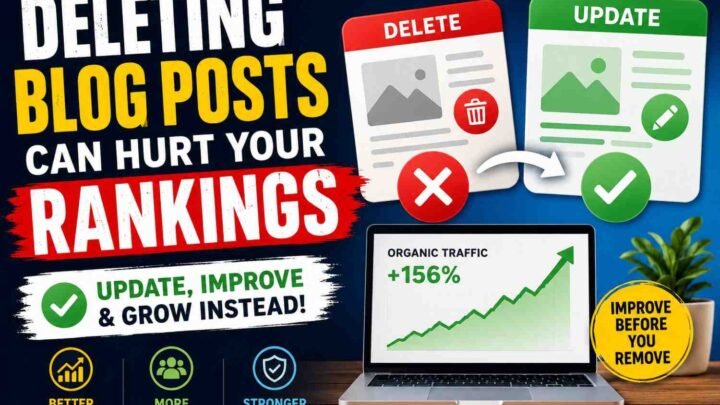
Old blog posts do not die fast. They sit quiet, but sometimes traffic still coming. I learned this after changing one old post too much. It was ranking on page two. I rewrote all. Then traffic fall. Bad feeling.
Now I first check what parts still bringing clicks. Keep them. Do not touch good lines because they look old. AI can help find old numbers, dead links, weak parts, and topics missing. But AI also guess wrong. So I open every source with my own eyes.
Search results change. People may want a quick list now, not a long story. Maybe they want video, price table, or real steps. Compare your old page with new top pages. See what they added. Do not copy. Find the gap they missed.
Old screenshots can make reader doubt. Replace them when tool design changed. Add one fresh example from your work. Even small example feels real. I once added a new screenshot and short problem story. Time on page improved later.
Thin sections need care. Do not fill with empty words. Add a step, warning, mistake, or simple answer. Internal links also matter. Link new posts where reader may need more help.
After update, watch rankings, clicks, and time. Some pages move slow. Some drop first. Do not panic in one day. Keep notes of what changed.
The goal is not making post look new. The goal is making it useful again. Like fixing an old chair. Keep strong wood. Replace only broken parts.
Real AI Blogging Failures and How Bloggers Recover
Many bloggers use AI and publish fast. Too fast. I also see this mistake many times. The post looks clean, but no life inside it. Same words, same advice, no real story. Readers come, look little, then leave. To fix this, add your own test, screenshot, mistake, result, and strong view. Tell what actually happen, not what sounds nice.
Second problem is making too many posts. Some bloggers publish fifty or hundred articles in few weeks. At first, it feels like big success. Later, many pages fight with each other. Traffic goes down. Updating become hard. Better remove weak posts, join same topics, and build few strong content groups.
Another bad thing is trusting fake data. AI may give numbers, studies, quotes, or tool facts that are not real. One wrong fact can break reader trust. I once checked a claim and the report did not exist. It felt embarrassing. So now every number need source, date, and second check.
Search intent also gets missed. A reader wants quick tool comparison, but blogger writes a huge lesson. Nobody has patience. Look at search results first. See what people really want. Then change the post shape.
Last issue is too many tools. One for outline, one for images, one for SEO, five more for small jobs. Money goes. Mind gets tired. Use fewer tools. Give each tool one clear job. Simple system works better, and work feel calm again.
Recommended AI Blogging Stacks by User Type
A beginner blogger do not need ten tools. One chat tool is enough for ideas, titles, and rough outline. Then use one keyword tool, maybe free version. Grammar checker can fix small mistakes. WordPress handle the post. Google Search Console show what people click and where page is weak.
I remember first time using many tools. Too many tabs. Too much cost. Mind become tired. Work did not move. Later I kept only few. Writing become simple again each day.
Affiliate blogger need stronger setup. Keyword and competitor tool help find buyer questions. Content tool show missing parts. Comparison table tool make product facts easy to scan. Link manager stop broken affiliate links. Analytics tell which page earn and which page only sit there doing nothing. This part can hurt, because some loved post may make zero money.
A professional team need order more than magic. Research assistant collect sources. Brief tool give shape. Brand voice guide keep writers sounding like same company. Editor check facts, links, claims, and tone. Publishing automation save time, but human must still press final approval. One wrong price or false feature can damage trust fast.
Budget blogger must play careful. Use free plans, Google suggestions, Search Console, Docs, and simple sheets. Do manual checking. Do not buy two tools doing same job. Test one month. Keep what save real time. Remove what only looks smart.
It is the stack you can use weekly, without fear, waste, or confusion.
How to Measure the ROI of AI Blogging Tools
AI blogging tool can save time, but saving time is not same like earning value. I learned this after paying £39 monthly for one tool. It made many drafts fast. Very fast. But readers not staying, traffic also going little down.
So first, track hours saved per article. Before tool, maybe one post need eight hours. After tool, it take five hours. Three hours saved is useful, but only when article quality still strong.
Watch publishing frequency also. You may publish twelve posts instead of six. Sounds great. Yet more posts can become more weak pages, and later you spend days fixing all.
Editing time tell the truth. Some AI draft look clean, but facts wrong, words dull, and same idea coming again. I once spent four hours repairing a draft which tool created in twenty minutes. That was not saving.
Check organic impressions, search clicks, keyword growth, and conversion rate every month. Traffic without action is only numbers. If 5,000 people visit and nobody joins email list or buys affiliate product, the post giving little business value.
Track affiliate revenue, email subscribers, and content-update speed too. Old posts losing traffic may recover when updated faster with better facts and real examples.
Tool cost per published article is simple. If tools cost £100 monthly and you publish ten useful posts, cost is £10 each.
Use this formula:
Blogging ROI = Revenue or value generated − tool and production costs
But value can include leads, subscribers, time saved, and stronger rankings.
Do not chase speed blindly. Fast publishing feels exciting first. Then poor content brings silence. Real ROI comes when time, quality, traffic, and money move together.
AI Blogging Checklist
Before publish, I stop for little time. Not long. Just enough to see the post like a reader, not like writer.
First I ask, does this page answer what people search? Many times I wrote big post, but reader wanted one small answer. Traffic came, then left fast. That hurt. So now search intent get checked before anything else.
Claims need proof. A number may look smart, but wrong number can break trust. I open the source, read date, and see who made the study. Old source is not always bad, but fresh topic need fresh proof.
Examples must be mine or clearly told from another person. Fake story feels empty. Readers notice. I once added my own failed blog update, with screenshot and result. That small truth helped more than five smooth paragraphs.
Then I read for repeated lines. Same point often comes again wearing different words. I cut it. Some cuts feel painful, still post becomes clean.
Headings must guide the eye. If heading jump without reason, reader gets lost. I move them around till each section feels like next step.
Images also need checking. Wrong chart, stolen photo, or false screen image may create real trouble. Use owned image, licensed image, or clear source.
Internal links should help, not trap people in many tabs. Conclusion need one action. One simple move.
Remember, starting a blog in AI era is big challenge.
Last, I read whole post by hand. Slowly. Small mistakes show now. I add updated date too, because reader deserve to know when this page was checked. Publishing is not finish button only. It is trust button.
Frequently Asked Questions
What are the best AI tools for blogging?
Best tool depend on your work. Some help ideas, some write draft, some fix grammar, some check SEO.
Can AI blog posts rank on Google?
Yes, it can rank. But weak, copied, empty writing may not stay. I saw fast-made posts go up, then drop. Human checking was missing.
Does Google penalise AI writing?
Google mostly care about helpful content, not only who wrote it. Still, spam content brings trouble.
Which tool is best for SEO writing?
Use one tool for keywords, one for draft, and Search Console for truth. SEO score alone is not magic.
Can AI create a full blog post?
Yes, but full does not mean good. It may sound smart while giving wrong detail.
How make AI content sound human?
Add your own mistake, small story, test result, opinion, photo, and words you really use.
How fact-check it?
Open every source. Check date, writer, company page, study page, and other trusted sites. Never trust a nice sentence only.
Which tools work with WordPress?
Many writing, SEO, image, and automation tools connect with WordPress. Test before giving publish access.
Can AI build topical authority?
It can find missing topics and group questions. But deep knowledge need real reading and real work.
Are free tools enough?
For new blogger, yes. Limits come later.
How many tools needed?
Maybe three or four. Too many tools make head tired and money gone.
Can AI images be copyright-free?
Not always clear. Check licence and avoid copying famous art styles.
How add EEAT?
Show experience, proof, author detail, sources, updates, and honest limits.
What should not be automated?
Final facts, personal stories, product claims, medical advice, and publish button.
How often update?
Check every three to six months. Fast topics need checking much sooner.
Conclusion: Build a System, Not a Tool Collection
Many bloggers keep buying new AI tools. One for ideas. One for titles. Another for writing. Then more tools for pictures, SEO, links, and checking. After some time, the work become more hard, not easy.
I also saw this problem in my own work. Too many tabs was open. Notes was everywhere. One tool said one thing, another said opposite. I felt tired before the article even started.
The better way is simple. Pick one tool for each main job. One for topic research. One for writing help. One for checking facts. One for images, when needed. This small setup is easy to learn and easy to control.
But tools cannot know your true story. They did not test the product. They did not lose traffic. They did not sit at night fixing a weak post. You did.
So human work still matter most.
Use your own eyes. Check the search page. Read real studies. Test the steps. Add screenshots, mistakes, small wins, and things which did not work. Readers can feel when a post has real life inside it.
Do not try to change your whole blog in one day. Take one old article. Write down each step you follow. See where time get wasted. Keep what works. Remove what create noise.
Then do this today:
Choose one existing article, use AI to find missing details, add your own proof, check every fact, and publish it again as a stronger and more useful page.



Leave a Reply