Blog categories vs tags confused me too at first. I made too many of both. Bad mess.
A category is the big home for your post. SEO, Travel, or Recipes can be categories. Categories can also have child categories under them.
Tags are smaller labels. They connect posts around one repeat idea, even when those posts sit in different categories.
In WordPress, every post needs a category. Tags? You can skip them.
And no, adding more categories or tags does not magically improve Google rankings. Their archive pages only help SEO when they are useful.
Easy rule: Categories tell where your post belongs. Tags tell what repeating details connect your posts.
Blog Categories vs Tags at a Glance
When I first used WordPress, I also thought categories and tags were almost same. They are not. Both are WordPress taxonomies, means they help arrange posts. They are not SEO keywords.
| Factor | Categories | Tags |
|---|---|---|
| Purpose | Main blog organization | Connect similar details |
| Scope | Broad | Narrow |
| Structure | Hierarchical | Flat |
| Parent/child | Yes | No |
| Required | Post needs one | Optional |
| Multiple per post | Yes | Yes |
| Best use | Main site topics | Repeated small topics |
| Archive pages | Yes | Yes |
| Google can index? | Yes | Yes |
| SEO boost automatically? | No | No |
| Small blog | Usually important | Often not needed |
| Large site | Main structure | Extra support |
Think simple. Your category is like a room. A tag is like a small label stuck on things inside many rooms. If you keep making tags for every tiny word, blog becomes messy fast.
Categories Build Your Blog’s Architecture
I see many new bloggers making categories like keyword box. Big mistake, because blog categories mainly build your site road.
Think simple:
Blog → Category → Subcategory → Posts
Example, Blogging → SEO → Keyword Research. Same way Finance → Investing → ETFs, Technology → AI → AI Tools, Travel → Europe → Italy.
WordPress calls categories a taxonomy, and categories can have parent and child levels. One post also can sit in one or more categories.
How many categories you need? No magic number. I prefer asking, “Does reader understand where this post lives?” Your content depth decide it.
Use keyword in category name when it truly describes topic, not just because SEO tool showing keyword.
Good category pages also work like hubs. They connect related posts, help navigation and internal linking, and Google can discover new posts through such category pages.
Tags Connect Related Content Across Categories
Tags are not another category. I learned this little late.
Say your categories are SEO, WordPress, Monetization. A tag like keyword research can connect posts sitting inside different categories. Same with affiliate links or Core Web Vitals.
Do you need tags? Not always. Your blog can work fine with categories only.
Tags are optional, usually no parent-child system. One post can carry many tags, but I don’t add five just because I can.
Also, tags are not meta keywords. Putting target keyword as tag does not suddenly give Google ranking.
My simple check is this: Will I write several useful posts around this tag? If no, I skip it.
So, how many tags per post? No fixed number. Use only what helps your reader find related content. Create tags for navigation, not for stuffing another keyword.
Categories vs Tags for SEO: What Actually Matters
When I first looked at categories vs tags for SEO, I also thought category is stronger, tag is smaller thing, so category must rank better. But SEO does not work that simple.
WordPress creates real archive pages for both. So think this way:
Taxonomy term → archive URL → internal links → Google crawls it → maybe indexes it → user finds it useful or useless
That last part matters much.
WordPress says categories and tags are taxonomies made for grouping related posts. Tags are not magic SEO keywords. They also create archive pages people can open.
I have seen blogs where one post got 10 or 20 tags. Looks organized inside dashboard. Outside, not always. Soon you may have many /tag/ pages with one article each. These become thin archives, orphan pages, or pages almost copying another category.
Google says links help it discover pages and understand relevance. So a strong category page with useful posts and clear internal linking can become a good topic hub.
But category page can also be weak. Tag page can also be strong. The label itself gives no special win.
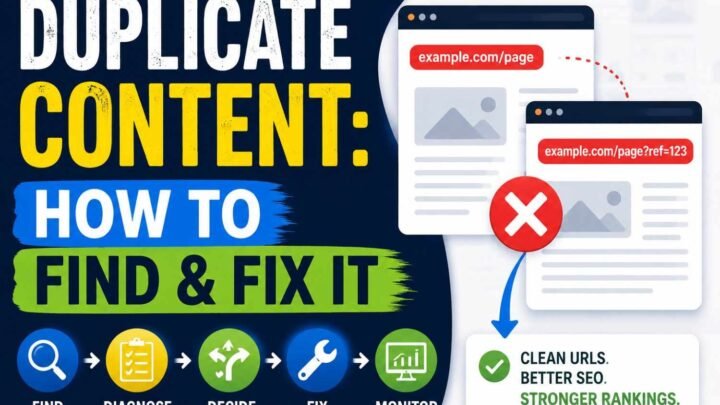
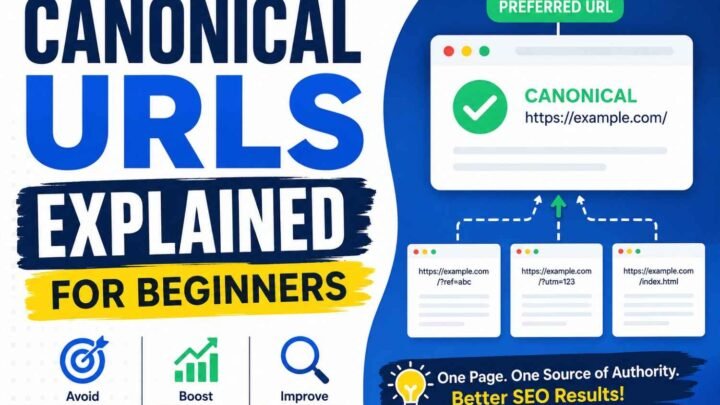
Overlapping archives bring another headache. Suppose /category/seo/ and /tag/seo/ show nearly same posts. Google may see very similar URLs and choose one representative canonical URL.
My simple check is:
- Keep indexable pages that give real search value.
- Avoid making hundreds of useless taxonomy URLs.
- Link important archives from useful places.
- Use breadcrumbs when hierarchy helps readers; Google says breadcrumbs show a page position inside site hierarchy.
- Put URLs in the XML sitemap when you consider those pages important. Google describes a sitemap as a way to tell search engines which pages you consider important.
So, blog categories vs tags for SEO is not really category against tag.
It is useful page against useless page.
Clear structure against messy structure.
That is where SEO problem starts, and usually where solution also starts.
Should Category and Tag Pages Be Indexed?
Not every category page need Google index. Same for tag pages. I learned this after seeing blogs with many tags, but almost nothing useful inside them.
Ask one simple thing first: if you land on this page from Google, will you stay there?
Index the page when it have real purpose. Maybe five, ten, or many useful posts around one topic. Good links. Clear topic. Reader can move deeper.
Improve it when topic is good, but page looks empty. Just post titles, no help. Add small intro, better links, maybe important posts first.
But some pages become waste.
- One tag with one weak post.
- Two tags meaning nearly same thing.
- Category and tag both showing same posts.
- Old tags made without plan.
- Pages nobody search, click, or need.
Then merge, remove, or consider noindex.
I never follow “index categories, noindex tags” blindly. Page type is not the real question. Page value is.
7. Real Examples: Category or Tag?
This part confuse many bloggers. I also see one word can fit category in one site, but tag in another.
Food blog? Recipes can be category. Chicken may be tag, because chicken recipes can sit under dinner, lunch, curry, even healthy food.
Travel site, Destinations works broad. Solo Travel can connect many countries, so tag make sense.
Tech blog may keep AI as category. ChatGPT can be recurring tag. But if you publish 100 ChatGPT posts, then maybe it deserve own category.
Same with finance. Investing is category. ETFs can be subcategory when many ETF articles exist.
For blogging, SEO is broad. Keyword Research may become subcategory, or only tag if few posts.
So don’t copy another website structure blindly. Your categories and tags depend on content volume, site structure, and how your readers move around your blog.
The Most Common Category & Tag Mistakes
I made this mess before. Many bloggers also do. We add 15 or 20 tags for one post, thinking more tags means more SEO. Later, site have hundreds of thin tag pages. Some got only one post. No real use.
Another mistake is treating blog categories like keywords. You create “SEO Tips,” “Best SEO Tips,” “SEO Guide,” all as categories. Soon navigation become confusing.
Same word as category and tag? I avoid it now. It can create two archive pages doing nearly same job.
Also, putting every post inside four or five categories makes your site structure weak. Pick the smallest useful category.
Indexing every category and tag page is not smart. But noindex everything also not smart. Some category pages can become strong topic hubs.
Changed category slug? Check redirects. Deleted category? Watch 404 pages.
“I already made these mistakes—can I recover?”
Yes. Do not start deleting fast. First audit categories, tags, traffic, post count, and URLs. Then keep, merge, redirect, or remove one by one.
9. How to Clean Up an Existing Blog Taxonomy Safely
Old blog taxonomy can become messy very fast. I seen this many times. Tags made for one post, two categories saying nearly same thing, old topics still sitting there.
First, list every category and tag. Check post count, traffic, impressions, backlinks, internal links, and if Google indexed that page.
Then mark each one:
Keep | Improve | Merge | Convert | Remove | Noindex
Look closely for empty categories, one-post tags, same meaning terms, and old topics nobody need now.
Do not delete fast. I did this mistake before. Better keep the URL or topic having stronger value, links, traffic, or useful content.
If a tag works better as category, convert it. Same way category can become tag when needed. Update menus and internal links too.
Changed URL? Redirect only when a real matching page exists.
After cleanup, check breadcrumbs, canonical tags, robots settings, XML sitemap, and Google Search Console.
Then watch 404 errors, indexing, clicks, and impressions. Taxonomy cleanup is not one-day work. You clean, watch, then fix again.
How to Create Categories and Tags Correctly in WordPress
Go WordPress Dashboard → Posts → Categories. Make category name, slug, and parent category if needed. I keep this simple. Too many categories make site messy fast. Add a short description when that page has real use.
For tags, open Posts → Tags, or add them inside post editor. Use tags again and again. One post, one strange tag? Usually I skip it.
Before changing old categories or tags, check their archive URL. Rename carefully. Test links after change. If you merge or convert taxonomy, check redirects too.
Also check your SEO plugin. See index setting, sitemap inclusion, and archive pages.
Categories missing suddenly? Do not panic. Check plugin conflict, theme issue, user role, and WordPress settings first.
When Categories and Tags Aren’t Enough
Sometimes categories and tags become too small for a big website. I seen this problem in review sites. Everything start mixing.
Say your car site has Category: Reviews. Fine. But you also need Manufacturer: Toyota, Model: Camry, Vehicle Type: SUV, and Fuel: Hybrid. Making all these as tags can become messy fast.
This is where custom taxonomies help.
- Categories = main hierarchy
- Tags = related topic labels
- Custom taxonomies = separate organized groups
For large publishers, directories, and product sites, this structure give much cleaner control.
A 10-Second Category-vs-Tag Decision Tree
I use one small rule when blog categories vs tags become confusing. Ask what job that word doing.
Big topic you will write many times? → Category.
Smaller topic inside it? → Subcategory.
Same detail appearing across different topics? → Maybe tag.
You may feel every word deserve a tag. I did this mistake before. Soon, too many empty pages come.
If only one post need that label, usually skip it.
Already have similar category or tag? Reuse that one.
Need many separate ways to group content? Think custom taxonomy.
And last check: if archive page help reader alone, keep it useful. If thin and repeated, merge, remove, or consider noindex.
Categories, Tags and Google/AI Search in 2026
I see many bloggers adding tags like more tags means more Google power. It not work that simple.
Google says crawlable links help it find pages and understand relevance. Breadcrumbs also show where a page sits inside site hierarchy.
This means your categories, tags, and internal links should make one clean road.
WordPress itself says categories and tags help users navigate content.
Too many useless taxonomy URLs? Google may crawl site inefficiently.
So, no “AI ranking boost” from adding tags. Build useful topic pages, clear connections, less junk.
Last reviewed: August 19, 2026.
FAQ: Real Questions Bloggers Ask
Are categories or tags better for SEO?
Neither one wins just by existing. I care more about whether the page helps a reader, connects useful posts, and makes the site easy to move through. WordPress itself treats both as ways to organize content.
Do tags help Google rankings?
Not like a magic keyword button. A tag may help people find related posts, but making 50 weak tags does not mean 50 SEO gains.
Can category pages rank?
Yes. If the category page is useful, crawlable, and worth finding, Google can index it.
Can tag pages rank?
Yes too. Same rule. Thin page, weak value, poor chance. Useful page, better case.
How many categories should I have?
No fixed number. Use enough to cover your main topics, not every small idea.
How many tags per post?
No perfect number. I use a tag only when more posts will truly share it.
Can one post have many categories?
Yes, but too many can make your structure messy.
Are tags same as keywords?
No.
Should I noindex all tags?
No. Check value first. Google’s noindex removes a page from search, so use it with care.
Should categories be in sitemap?
Only important URLs you want search engines to know about should normally be there. Google says sitemaps tell search engines which pages you consider important.
Hundreds of old tags. Delete them?
Audit first. Merge repeats, keep useful ones, remove junk slowly.
Can tags become categories?
Yes, WordPress supports taxonomy management, but check URLs and SEO impact before changing.
15. Final Recommendation
For most blogs, simple works better. I learned this after seeing sites with too many categories and tags, then nobody knows where a post really belong.
Start with few clear blog categories. Add subcategories only when your content grows enough. Use tags only when they truly connect related posts.
You do not need 50 tags.
Keep structure clean. Check old taxonomy pages sometimes. Merge thin ones. Remove useless ones.
Categories build your blog structure. Tags build content connections.
First help people find content. SEO comes after that.


Leave a Reply