You open Google Search Console and see a sharp fall in clicks, impressions and rankings. Your first thought may be: “I must fix every page today.”
Stop before you edit anything, because random changes can hide the real cause. A Google core update usually reviews search results across many sites; it does not always mean Google has penalised you.
To recover from a Google update, first confirm that the update caused the decline, identify exactly which pages and queries lost visibility, compare them with the pages Google now prefers, repair the underlying value gap and track each change until rankings stabilise. This guide shows you how.
First, save your data and wait until the update ends before judging the loss. Then diagnose the drop, rank the pages by value, test each repair and measure the result over the next few weeks.
Phase 1 — Secure the Crash Site Before You Touch Anything
Record the Date and Drop Pattern
Do not edit your site at once. First, check the Google Search Status Dashboard and note when the update started and ended.
For example, the May 2026 core update ran from 21 May to 2 June 2026. Compare that time with the past week, month and year.
Also, check Google Trends. Search demand may fall due to seasons, news or changing user needs.
Save Your SEO Evidence
Before you make changes, save:
- Search Console pages and queries.
- Analytics landing-page data.
- Keyword ranking history.
- Recently changed URLs.
- Publish and update dates.
- Crawl and indexing reports.
This data is your SEO black box. It shows what changed, where traffic fell and which pages need help.
Avoid Panic Changes
Do not rewrite the whole site, delete many pages, change URLs or disavow links without proof. Such moves can hide the real cause and create fresh SEO problems.
Phase 2 — Prove It Was Actually a Google Update
Do not blame a Google update as soon as your traffic falls. First, prove what caused the loss, or you may fix the wrong problem.
Run the Five-Cause Elimination Test
Check these five causes in order:
- Look for a confirmed ranking update on the Google Search Status Dashboard.
- Check Search Console for crawling, indexing, robots.txt, canonical, or server errors.
- Open the Manual Actions and Security Issues reports.
- Search your lost keywords and note new rivals, videos, forums, ads, or AI answers.
- Compare demand in Google Trends for the same country and time.
For example, a gardening site may lose traffic for “tomato seeds” after summer ends in India. That is seasonal demand, not proof of an algorithm hit.
Read the Traffic-Drop Shape Like Evidence
| Drop pattern | Likely cause |
|---|---|
| Sudden sitewide fall | Update, site fault, or manual action |
| One folder falls | Topic, page type, or template issue |
| Impressions stay, but clicks fall | AI answers, SERP change, or weak title |
| Rankings stay, but traffic falls | Lower demand or click rate |
| Only mobile traffic falls | Mobile page or display fault |
| Branded searches fall | Brand demand, trust, or tracking issue |
Google says search traffic can fall for many reasons. So, use the Search Console Performance report and Google Trends before you start any Google update recovery work.
Phase 3 — Recover the Site’s SEO Black Box
A Google update traffic drop leaves clues across your search data. Use this four-layer loss map to find where the loss began and what you should fix first.
Query Loss
Open Google Search Console and compare the affected dates with a normal period. Check which exact queries lost clicks, impressions and ranking positions.
Group them by informational, commercial and branded search intent. Also check whether long-tail keywords fell before your main head terms, as this may show a wider relevance loss.
Page Loss
List the URLs with the largest click and impression drops. Then check whether one page failed or a whole topic cluster lost Google rankings.
Pay close attention to pages you recently changed. A new title, removed section, weak rewrite or changed internal link may have reduced the page’s value.
SERP Loss
Search your lost queries and note which pages now rank above you. Check whether Google replaced blogs with forums, videos, shops, tools or AI answers.
This shows whether the preferred content format has changed. Google also advises using Search Console to compare queries and pages when you investigate traffic loss.
Business Loss
Not every lost click has the same value. Mark pages that drove sales, leads, email sign-ups, subscriptions or affiliate income.
Then place low-value traffic losses below pages that supported real business goals. This step keeps your Google update recovery plan focused.
SEO Black Box Worksheet
Lost query → Lost page → New winner → Missing value → Business impact → Recovery priority
Phase 4: Classify Each Affected Page as a Survivor, Patient or Liability
Do not treat every page in the same way after a Google update. Use the SPL system to choose the right action for each page.
Survivors
Survivors kept most of their rankings, clicks or search views. Study these pages first because they show what still works on your site.
Look for clear patterns:
- Strong search intent match
- Real examples or proof
- Clear writer details
- Helpful images or charts
- Trusted backlinks
- Strong internal links
For example: a page may stay strong because it gives a direct answer, shows real steps and links to useful support pages.
Patients
Patients lost traffic but still have search demand and business value. Do not remove them because they may recover with careful updates.
Fix the main weakness:
- Add first-hand experience.
- Answer missing user questions.
- Match the correct search intent.
- Replace old facts and links.
- Add useful internal links.
- Improve mobile reading.
Google advises you to review affected pages and make useful changes instead of searching for one quick fix.
Liabilities
Liabilities are copied, outdated, false, thin or made only to gain search traffic. You may merge, redirect, noindex, remove or fully rewrite them.
However, never delete a page only because its ranking dropped. A core update loss does not always mean the page broke Google’s rules.
Phase 5 — Find the Value Gap, Not Just the Keyword Gap
Keywords show what a page covers, but they do not show why people find it useful. So, counting words, headings, or FAQs will not help you recover from a Google update.
Compare the Replacement Pages
Search each lost query and study the pages that now rank above you. Do not copy them; find the extra value that helped them win.
Ask these questions:
- Does the page give a clear answer in the first few lines?
- Does the writer show real use, tests, screenshots, or results?
- Is the advice fresh and correct?
- Does it offer a tool, template, checklist, or clear plan?
- Does it explain risks, limits, and cases where the advice may fail?
- Can you trust the writer and check their sources?
- Can you scan the page with ease?
- Does it meet a new or different search intent?
For example, your page may explain how to start a blog, while the new winner gives costs, tools, steps, and a launch checklist. Both target the same keyword, but only one helps the reader finish the task.
Use the Seven-Value-Gap Test
Score each point from 0 to 3:
- Answer: Is your answer clear and complete?
- Experience: Do you show real use?
- Evidence: Can readers check your claims?
- Decision: Can readers choose the right option?
- Action: Can they follow your steps?
- Trust: Are the writer and sources clear?
- Originality: What can only your page provide?
Google asks creators to publish helpful, reliable, and people-first content with clear experience, expertise, authority, and trust. It also recommends unique, non-common content that gives readers value beyond basic facts.
Phase 6 — Build an Evidence Ladder for E-E-A-T
Do not treat E-E-A-T as an author bio checklist. Your author box may name you, but it does not prove that you tested, used or understood the advice.
Level 1 — Make a Clear Claim
First, tell the reader what to do. Keep the advice direct: “Update pages that lost useful facts, proof or clear answers.”
Level 2 — Explain Why
Next, explain why the step matters. This helps the reader judge whether the advice fits their Google update recovery plan.
Level 3 — Add a Trusted Source
Support factual claims with Google documents, research or known experts. Google says trust sits at the centre of E-E-A-T, while experience, expertise and authority help build it.
Level 4 — Show the Work
Add screenshots, videos, examples or completed audits. For example, show the Search Console report you checked and the exact filter you used.
Level 5 — Share the Result
Show what changed after the fix: include dates, clicks, impressions and ranking movement. Also state what else may have affected the result.
Level 6 — Admit the Limits
Explain where your method failed or may not work. This honesty often builds more trust than a perfect success story.
Use before-and-after screenshots, recovery dates, redacted cases, expert reviews, test steps and correction notes. Finally, ask: who created this, how was it tested, and what remains unknown?
Phase 7 — Repair Pages With the R.E.S.C.U.E. Method
Do not rewrite a weak page without a clear plan. Use the R.E.S.C.U.E. method to fix the real cause of its ranking loss.
R — Reconfirm the Search Intent
Check what people now want from the search: an answer, guide, checklist, comparison, tool or quick fix. Review the current results, then shape your page around that need.
E — Extract the Direct Answer
Give a clear answer near the top of the page. Do not make readers scroll through a long introduction before they find help.
S — Supply Original Evidence
Add proof that comes from real work: screenshots, test results, examples, mistakes and lessons. Google advises creators to provide original information, useful analysis and clear first-hand expertise.
C — Cover the Full Decision Journey
Help readers understand the whole problem:
- What happened?
- Why did it happen?
- What should they check first?
- Which fix suits their case?
- What should they avoid?
- How will they track recovery?
Your page should help a reader make a choice, take action and check the result.
U — Upgrade Trust and Usability
Show who wrote the page, how they gained their knowledge and which sources support their claims. Also, improve mobile layout, headings, menus, page speed and reading flow; helpful content should offer a good page experience.
E — Establish Topical Connections
Link to useful guides about Google update diagnosis, Search Console, content audits, technical SEO, E-E-A-T and recovery tracking. Use clear link text because internal links help readers and Google understand related pages.
Do not add words merely to make the article longer. Add information that removes doubt or helps the reader act.
Phase 8 — Repair the Site System, Not Only Individual Articles
Fixing one weak post may bring a small gain, but it will not repair a weak site. To recover from a Google update, you must improve the whole system around your content.
Content-System Repairs
Merge articles that answer the same search query, and keep one clear page for each search intent. Then fix keyword cannibalisation, support weak topic clusters, remove claims you cannot prove, and review every update before publishing.
Technical-System Repairs
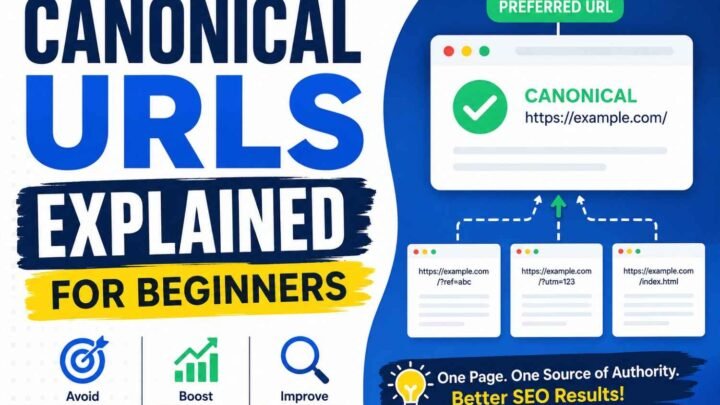
Check whether Google can crawl, render and index your key pages. Review canonicals, robots rules, XML sitemaps, internal links, mobile pages, Core Web Vitals, structured data and security warnings in Google Search Console.
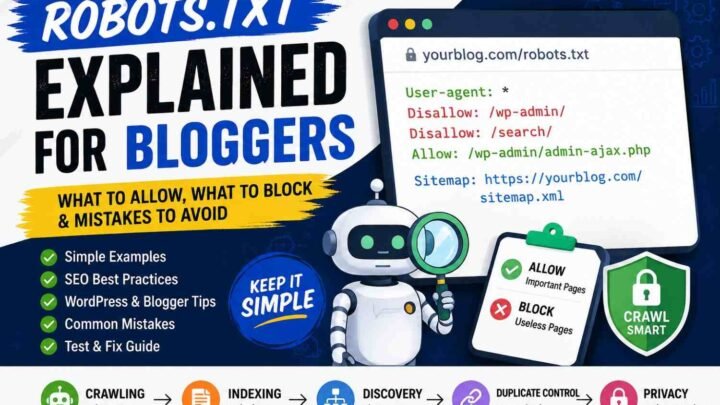
For example, do not block a page in robots.txt when you want Google to remove it from the index. Use noindex instead, while still allowing Google to crawl the page.
Reputation-System Repairs
Show who writes, checks and updates your content through honest author pages, contact details, editorial rules and correction notes. Also remove fake experience, false claims and misleading schema; earn mentions by sharing useful research or expert help.
Finally, check Google’s spam policies as a separate task. A serious violation can lower one page, damage the full site or remove it from search results.
Phase 9 — Run Controlled Recovery Experiments
Do not change 50 pages at once after a Google update. Test a small group first, or you will not know which SEO fix helped.
Use a page repair ledger to record each change:
| Page | Suspected cause | Change made | Date | Leading indicator | Result |
|---|---|---|---|---|---|
/best-hosting/ | Wrong search intent | Added a clear comparison | 25 July 2026 | Impressions rise | Review after 28 days |
Start With a Small Test Group
Choose three to five pages with the same ranking-drop pattern. Pick pages that had steady search demand, still get impressions and support traffic, leads or topical authority.
Google advises you to compare affected pages and queries before and after an update. It also suggests waiting one full week after the update ends before you study the data.
Change One Main Thing
Test one major change, such as:
- Match the right search intent.
- Add an original case study.
- Ask an expert to review the page.
- Merge two weak pages.
- Improve internal links.
- Put the main answer first.
Then track clicks, impressions, queries and rankings. SEO tests are never perfect because demand, rivals and Google results can also change; however, a clear record gives you better proof than random bulk edits.
Phase 10 — Measure Recovery Before Traffic Fully Returns
Do not wait for traffic to return before you check your work. Your site often shows small recovery signals first.
Watch Leading Indicators
Open Google Search Console and compare the last 28 days with the past 28 days. Check these early signs:
- Google crawls your updated pages.
- Your pages stay indexed.
- Lost search queries return.
- Impressions start to rise.
- Average positions improve.
- Pages move from page three to page two.
- More keywords enter the top 10.
- Readers stay longer or take action.
Google Search Console tracks queries, impressions, clicks and average positions. However, the latest data may still change for a few hours.
Watch Lagging Indicators
Next, track the results that affect your business:
- Organic clicks.
- Leads and sales.
- Newsletter sign-ups.
- Affiliate sales.
- Assisted conversions.
- Total revenue.
For example: a page may move from position 24 to 13 before clicks rise. That is progress, but it is not full recovery.
Define Recovery Honestly
Ranking recovery means your positions improve; traffic recovery means visits return. Conversion and revenue recovery happen only when those visitors take useful action.
Google says some changes may show results within days. Still, full site reassessment may take several months or even another core update.
Real Recovery Scenarios
Blog Lost Informational Traffic
Symptom: Your guides lose clicks after a Google update. Check lost queries, search intent, topic overlap, and the pages that replaced you; then add direct answers, fresh facts, and real examples.
Proof: Search Console shows more impressions and lost queries return.
Affiliate Site Lost Review Rankings
Symptom: Your “best product” pages fall. Test each item, show photos, explain your method, compare key facts, and share clear pros and cons; Google favours useful, original reviews.
Proof: Review keywords and buyer clicks rise.
Ecommerce Category Pages Declined
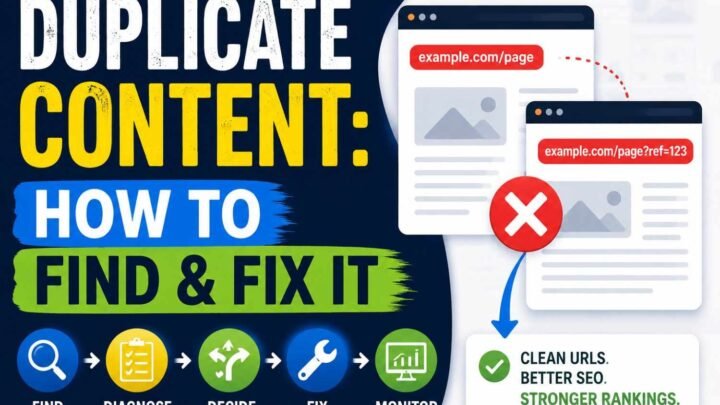
Symptom: Category pages lose sales traffic. Improve filters, product details, internal links, and commercial intent; also fix duplicate URLs and weak crawl paths.
Proof: More products get found, indexed, and clicked.
Rankings Stayed Stable, but Clicks Fell
Symptom: Your position stays the same, yet clicks drop. Check new SERP features, titles, brand trust, and search demand; then improve your title and turn each visit into a lead.
Proof: Click-through rate and conversions rise.
Recovery Failures: What Site Owners Tried and Why It Did Not Work
You may panic after a Google update and change the whole site. This often hides the real cause, since traffic can fall due to site errors, search demand, spam issues, or an update.
Common failed fixes include:
- Rewriting every post with AI.
- Adding weak author boxes.
- Changing dates without adding value.
- Deleting all low-traffic pages.
- Buying links at once.
- Copying the new top result.
- Adding FAQs that no one needs.
- Repeating the same keywords.
- Changing working URLs.
- Expecting results in days.
- Calling a seasonal rise a recovery.
First, check lost pages, queries, countries, and dates in Search Console. Then fix the true problem, track each change, and judge recovery over a fair time range.
The 30-Day SEO Black Box Recovery Plan
Days 1–7: Preserve and Diagnose
First, confirm the Google update dates, then wait one full week after it ends before judging the loss. Export Search Console data, check Google Trends, test indexing, review manual actions, and map each lost query to its page.
Days 8–14: Classify and Compare
Next, label each page as a survivor, patient, or liability. Compare lost pages with new ranking pages, score gaps in intent, proof, trust, and usefulness, then fix high-value pages first.
Days 15–21: Repair and Record
Now use the R.E.S.C.U.E. method: match intent, answer fast, add proof, cover the task, build trust, and link related pages. Fix crawl, mobile, speed, and canonical issues, while logging each change and date.
Days 22–30: Validate and Expand
Finally, watch impressions, queries, rank, clicks, leads, and sales. Expand only the changes that help, and record failed tests too; they stop you from repeating weak fixes.
Thirty days finish your first Google update recovery cycle, not the full recovery. Google may take days or weeks to recrawl pages, while wider ranking gains can take longer.
Final Verdict — Is Your Site Ready to Recover?
Before you expect Google update recovery, run this Black Box Readiness Test. Your site is ready only when you can answer each point with clear proof.
- Cause: You know why your Google visibility dropped.
- Pattern: You found the lost pages, queries and topics.
- Comparison: You understand why Google now ranks other pages.
- Value: Your updated page offers something useful and original.
- Evidence: Readers can check your facts and claims.
- Trust: Your author, sources and method are clear.
- System: You fixed wider content and technical problems.
- Measurement: You recorded each key change.
- Patience: You track long-term trends, not daily ranking swings.
Google update recovery is not about making your site look better. You must build stronger answers, clearer proof and more reliable value than before.
Frequently Asked Questions About Google Update Recovery
1. How long does recovery from a Google core update take?
A Google core update recovery may take a few weeks or several months. Google may notice some changes soon, but larger gains can take longer because its systems must crawl and judge your site again.
Do not check rankings each hour; compare wider date ranges instead. Google says you should wait at least one full week after an update ends before you study the loss in Search Console.
2. Can a website recover before the next core update?
Yes, your website can recover before the next Google core update. Google says some changes may show results without waiting for another major update.
However, a full recovery has no fixed date or promise. Keep improving weak pages, then track clicks, search impressions, queries and conversions.
3. Should I delete content that lost rankings?
No, do not delete a page just because its traffic fell. First check its search demand, purpose, backlinks, conversions and value to your readers.
Update useful pages, merge pages that cover the same point and remove only content that has no clear value. A page with low traffic may still support your topic, answer a rare question or help a buyer.
4. Should I update every affected page?
No, start with the pages that lost the most useful traffic. Check pages that once brought sales, leads, links or strong search impressions.
Do not make small edits only to change the update date. Fix the real gap: weak answers, old facts, poor search intent, thin proof or missing first-hand detail.
5. Can AI-generated content recover after an update?
Yes, content made with AI can recover when it gives real value to people. Google does not reject content only because AI helped create it.
However, mass-made pages with no new value may break Google’s spam rules. Add your own tests, facts, screenshots, views, examples and clear checks before you publish.
6. Does improving E-E-A-T guarantee recovery?
No, better E-E-A-T does not guarantee higher rankings. Experience, expertise, authority and trust help you make stronger content, but they are not a simple score that you can raise overnight.
Show who wrote the page, how they know the topic and what proof supports each key claim. A long author bio will not save a weak answer.
7. Should I disavow backlinks after an update?
Usually, no; do not disavow links only because your rankings dropped. Use the tool with care when you built unnatural links or received a link-related manual action.
First try to remove paid, fake or spam links that you control. A random list of poor-looking links is not proof that those links caused your Google update traffic loss.
8. How do I distinguish an algorithm update from a penalty?
A manual penalty appears in the Manual Actions report inside Google Search Console. An algorithm change does not send you that warning.
Match the traffic-drop date with Google’s update dates, then check manual actions, security issues and indexing errors. Also check season changes and search demand before you blame an update.
9. Why did impressions remain stable while clicks declined?
Stable impressions show that people may still see your pages in Google Search. Fewer clicks can mean a small rank drop, a weaker title, new search features or a change in what people choose.
For example, a page may move from rank two to rank four and still gain many impressions. Compare the same query, page, country and device before you change the content.
10. What is the first thing I should do after losing traffic?
First, do not edit the whole site. Save your Search Console data, mark the drop date and check whether a confirmed Google update, technical fault or demand change caused it.
Then compare the affected pages and queries before and after the loss. This simple traffic-drop check shows you what changed, so you can fix facts instead of guessing.
Key Points to Remember
- Wait one week after a core update ends before doing a full review.
- Do not delete, rewrite or disavow everything in panic.
- Fix pages with real search and business value first.
- Add useful proof, not only more words.
- Track each large change and its date.
- Judge recovery through rankings, clicks and conversions.

Leave a Reply